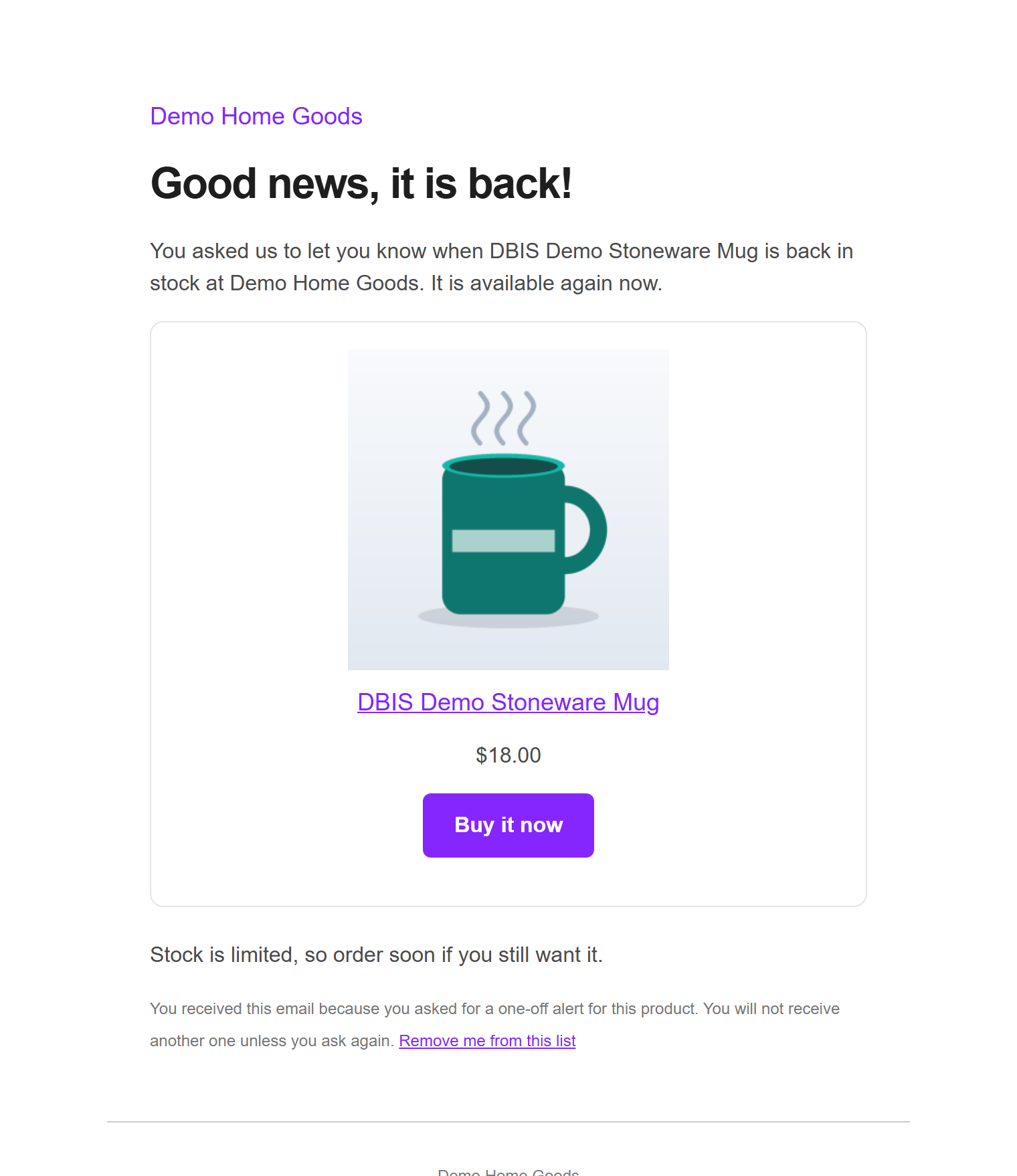
A sold out product is a lost sale unless you can bring the shopper back. This plugin puts a small "Email me when it is back in stock" form on every sold out product and variation, keeps the waiting list for you, and emails everyone on it the moment stock returns. Alerts send themselves in the background, stock is checked again before each one goes out, and the Most wanted tab tells you what to reorder first.
v1.0.0 · WordPress 6.2+ · WooCommerce 8.0+ · PHP 7.4+ · free · submitted to WordPress.org, review in progress
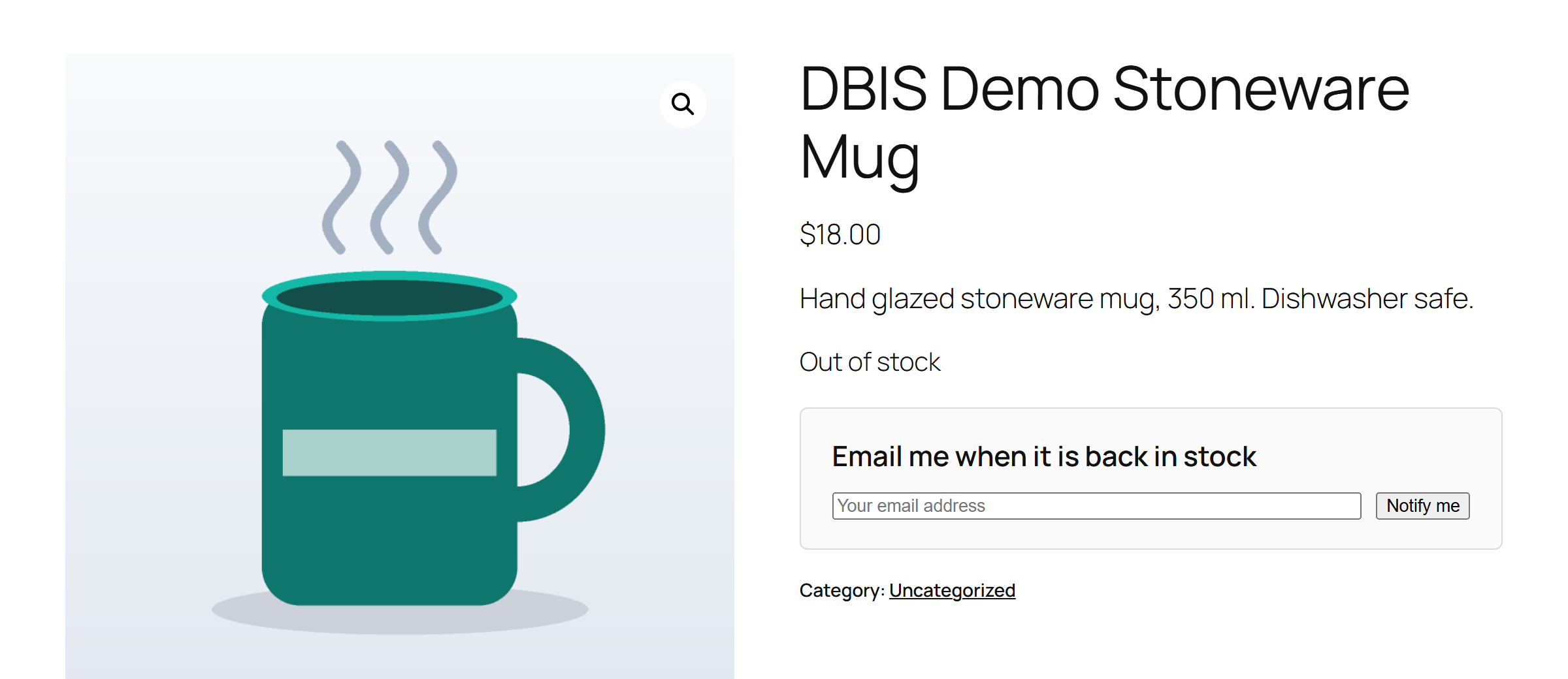
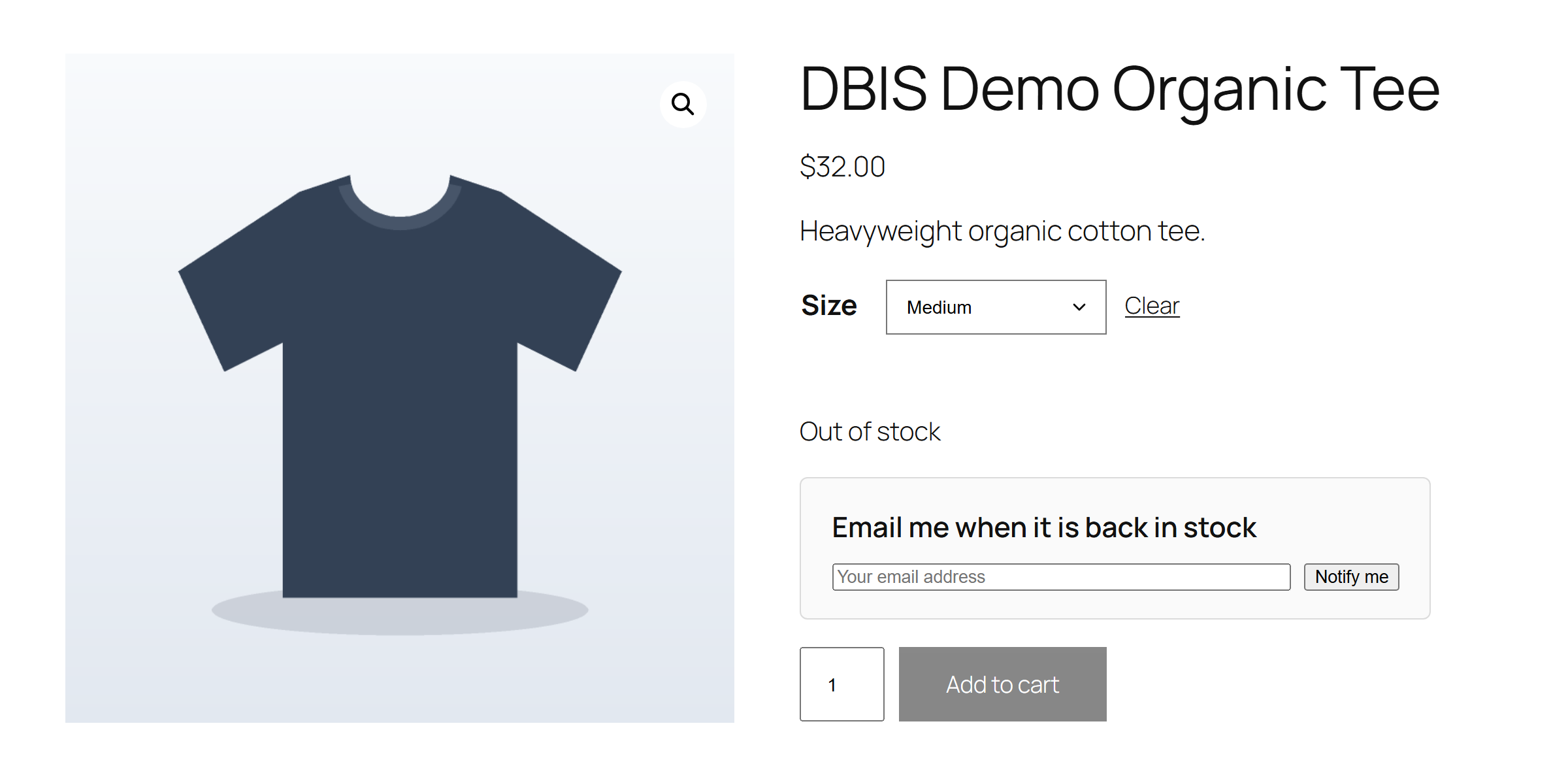
On a sold out simple product the form sits right under the "Out of stock" text: an email field and a button, with the address filled in for logged in customers. On a variable product it appears when the shopper picks a sold out option, so the alert is for exactly the size or colour they wanted. If every option is sold out they can ask to be told when any of them is back. The form works with and without JavaScript, with a honeypot, a nonce and a per visitor rate limit, and you can move it to the end of the summary or place it anywhere with the [dbis_form] shortcode.
Whenever a product's stock status becomes available, whether you edited the product, ran a CSV import, restocked through the REST API, or an order was cancelled and the stock came back, the plugin queues a sending run. Stock is checked again right before the emails go out, so a restock entered by mistake and corrected straight away sends nothing; an optional delay adds extra margin. Big lists go out in background batches through WooCommerce's Action Scheduler, each person gets one email per request, and every alert carries a one-click remove link.
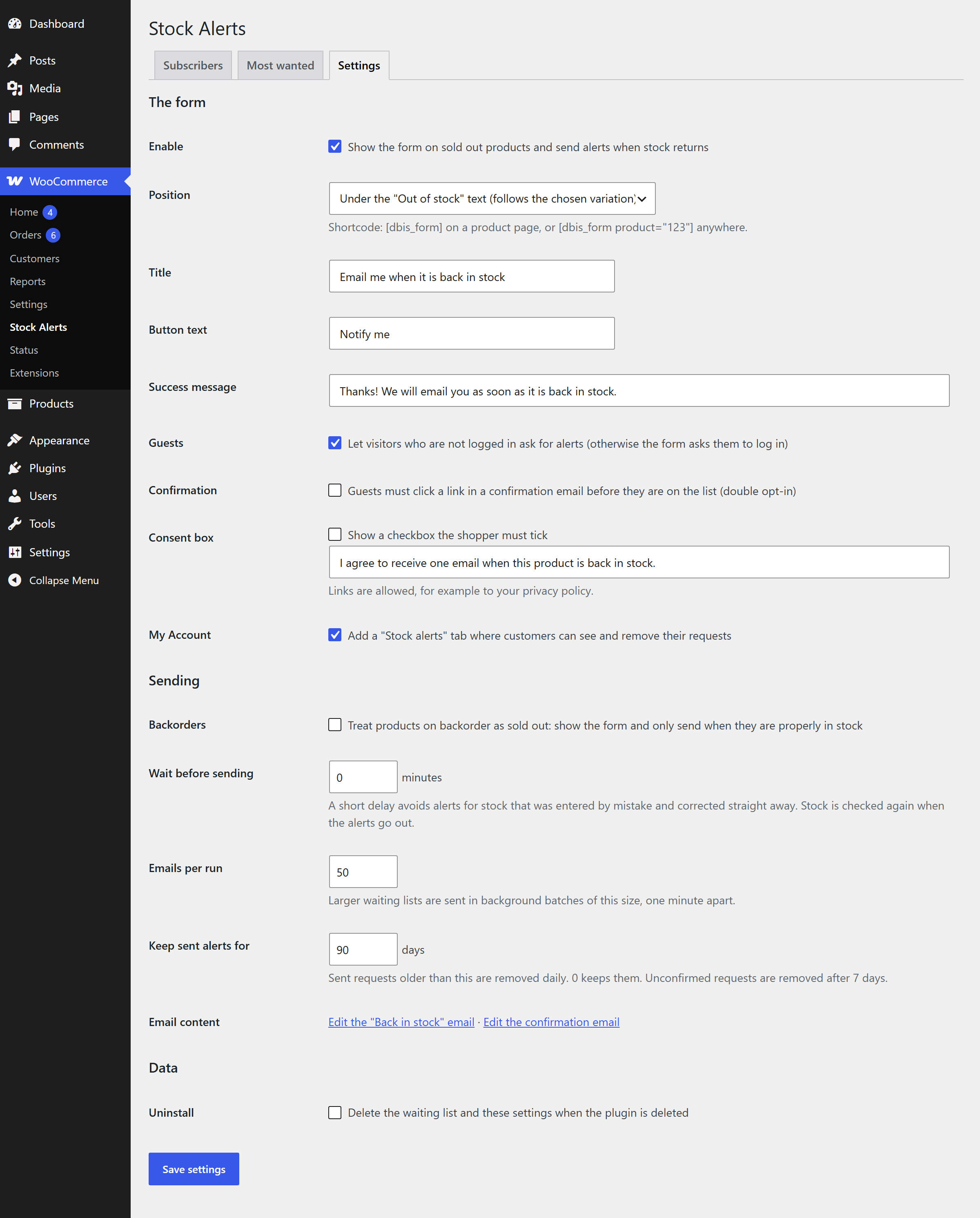
Guests can be asked to click a confirmation email before they are on the list, and the form can carry a consent checkbox with your own wording and a link to your privacy policy. Switch guests off altogether and the form asks shoppers to log in. Products on backorder can count as available or as sold out, as you prefer.
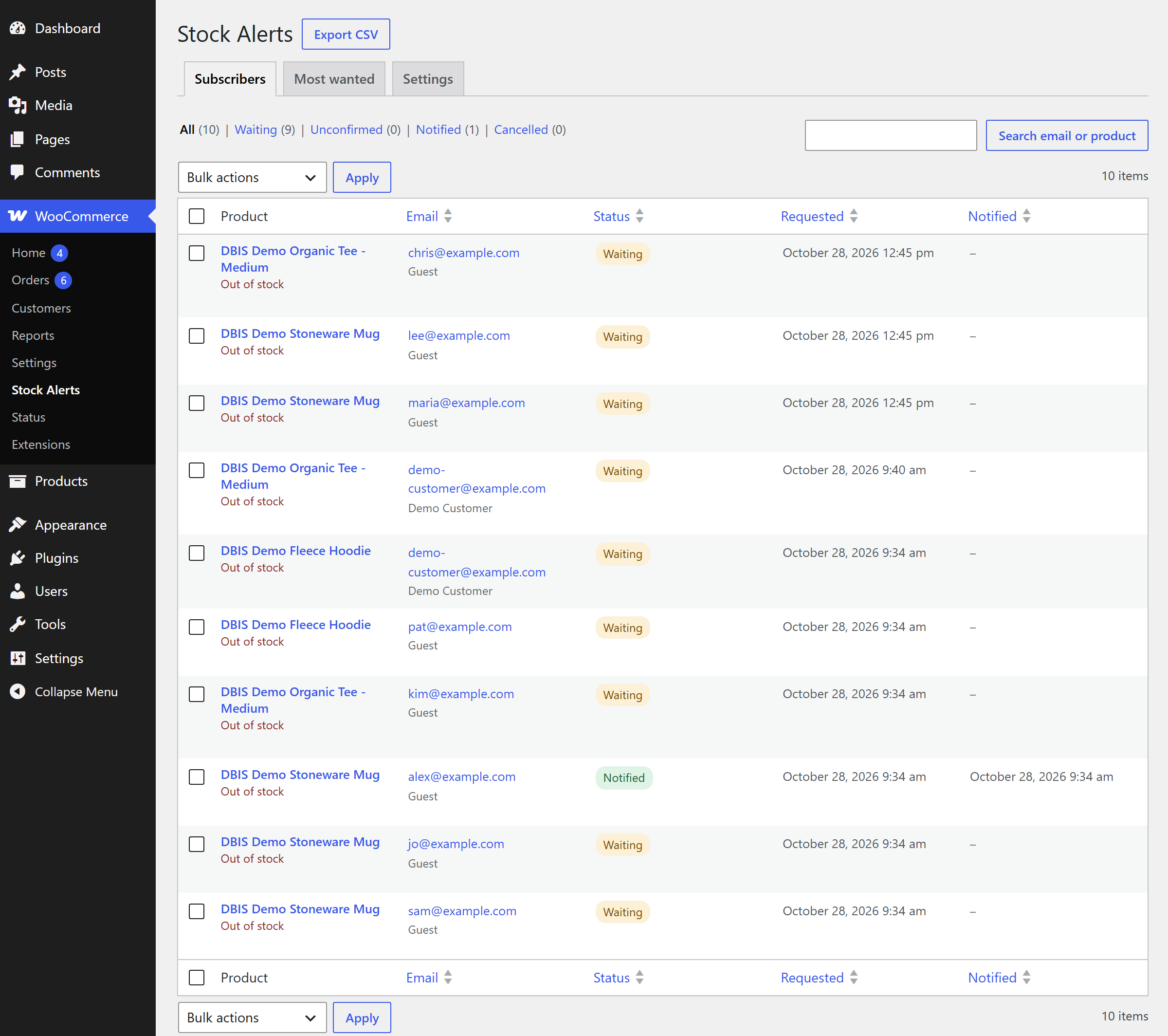
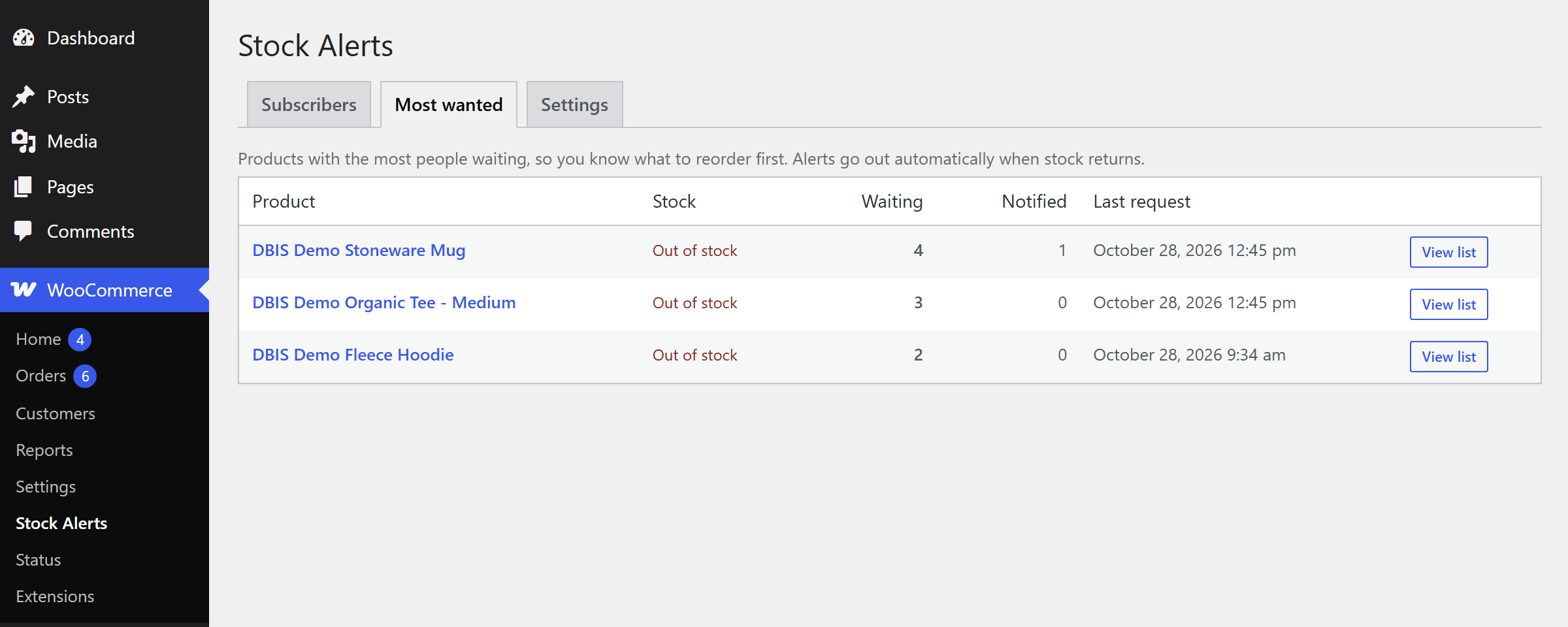
WooCommerce → Stock Alerts lists every request with its status (waiting, unconfirmed, notified, cancelled), search by email or product, filters, bulk cancel, reactivate and delete, a "send now" per request and a CSV export. The Most wanted tab ranks sold out products by the number of people waiting, with a Notify now button for anything already back in stock. The product editor shows how many are waiting, by variation, and an Add a subscriber form handles requests that arrive by phone.
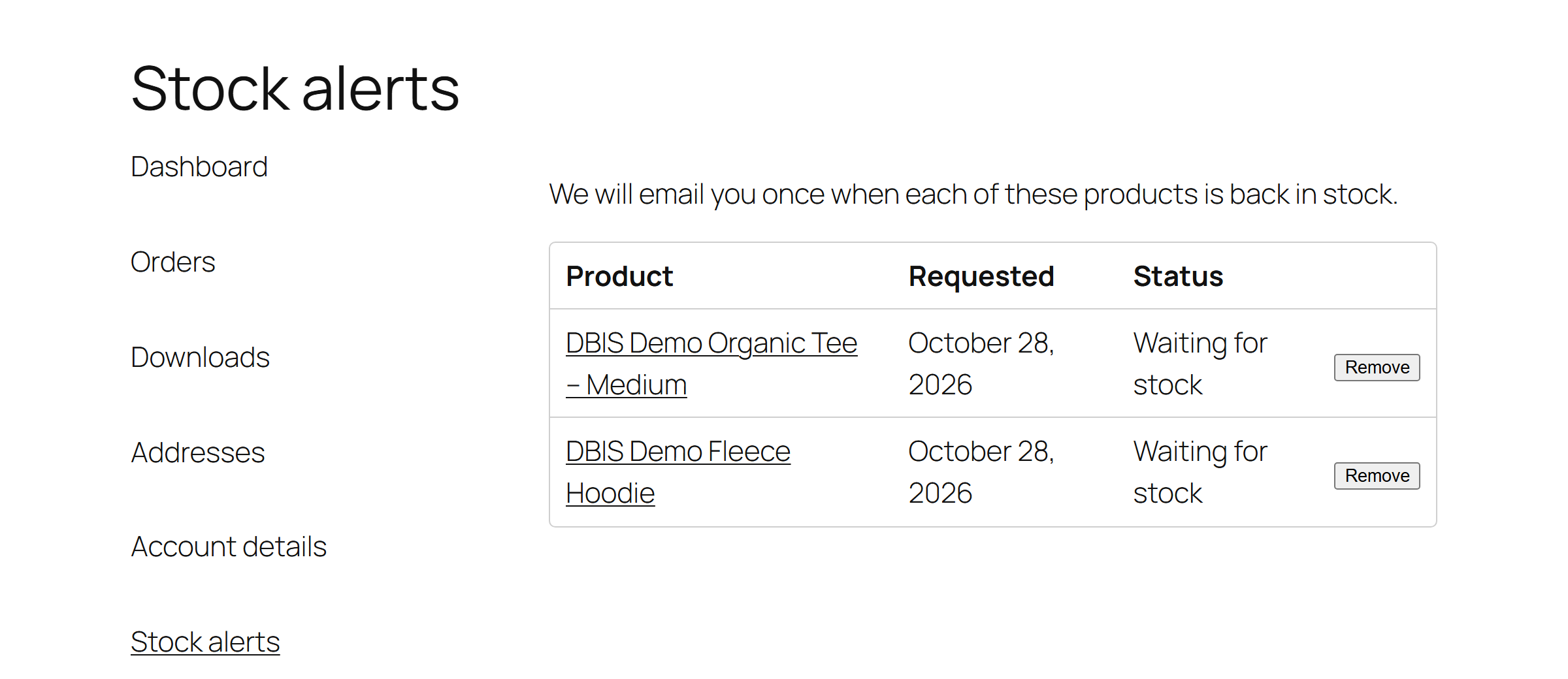
"Back in stock" and "Confirm back in stock alert" are standard WooCommerce emails: edit the subject, heading and extra text under WooCommerce → Settings → Emails, preview them, and override the templates in your theme. Customers see and remove their requests in a Stock alerts tab in My Account, the WordPress privacy tools export and erase requests by email address, and old sent alerts are tidied away after a number of days you choose.
Passes the WordPress Coding Standards with zero errors and zero warnings and is clean against the official Plugin Check. An automated suite of 115 checks covers every subscribe path, confirmation and remove links, stock changes, batching and re-checks, and 24 browser checks cover the form, the variation reveal, My Account and the admin screens.
No external services, no tracking, no account. The waiting list is one table in your own database, every admin action is checked for permission and signed with a nonce, and the only thing sent is the emails your store sends.
One small stylesheet and one small script load on product pages and the account page, nothing anywhere else. The script is kept out of minify and combine bundles so it never goes stale after an update.
Upload the zip under Plugins, Add New Plugin, Upload Plugin, and activate it. WooCommerce must be active.
The form is already there. Change its wording, position, double opt-in and consent box under WooCommerce → Stock Alerts → Settings.
Under WooCommerce → Settings → Emails → Back in stock, set the subject, heading and extra text, and preview it.
Set the product back in stock the way you always do. Everyone waiting is emailed, and the Subscribers tab shows who was notified.

Why it matters. A shopper who hits "Out of stock" leaves, and most never come back on their own. A waiting list turns that moment into a sale you can count on, and it tells you which sold out products people actually want before you place the next order.
Seven screens from the plugin, captured on a standard WordPress site with a sample store.


Free, and ready to install today.
Free · WordPress 6.2+ · WooCommerce 8.0+ · PHP 7.4+ · submitted to WordPress.org, review in progress
Download free (.zip)Upload the zip under Plugins → Add New Plugin → Upload Plugin, activate, then open any sold out product. No account required, no external services, HPOS compatible.
When a product's stock status changes to In stock, or to On backorder unless you treat backorders as sold out. That covers editing the product, quick edit, a CSV import, the REST API, and stock that comes back when an order is cancelled or refunded. Stock is checked again at the moment of sending, so a restock that is reverted straight away sends nothing, and an optional delay adds extra margin.
Yes. With the default position the form appears under the Out of stock text of the chosen variation, and the alert is for that variation only. If the whole product is sold out, shoppers can also ask to be told when any option is back.
Yes, unless you switch guests off, in which case the form asks them to log in. Guests can also be asked to confirm by email before they are on the list (double opt-in), and you can add a consent checkbox with your own wording and a link to your privacy policy.
The alerts go out in background batches, 50 at a time by default and a minute apart, through WooCommerce's Action Scheduler, so the page that restocked the product never waits for them. Each person gets one email per request.
Yes. The Most wanted tab has a Notify now button for products that are back in stock, every request has a Send alert now action, and the Subscribers tab has an Add a subscriber form for requests that arrive by phone or email.
Under WooCommerce → Settings → Emails: Back in stock and Confirm back in stock alert are standard WooCommerce emails with an editable subject, heading and extra text, a preview, and templates you can override in your theme.
No. The waiting list lives in your own database and the only thing sent is the emails your store sends. The WordPress privacy tools export and erase requests by email address, and every alert carries a remove me link.
It has been submitted to the official WordPress.org plugin directory and the review is in progress. Until it is published there, download the plugin zip from this page and upload it under Plugins, Add New Plugin, Upload Plugin.
Low stock alerts for the owner, SMS notifications, pre-orders, wholesale pricing - this is the kind of thing we build. Tell us how your store sells and we will come back with a plan and a fixed quote.