See it
From button to enquiry in one popup
The four screens you will actually use.
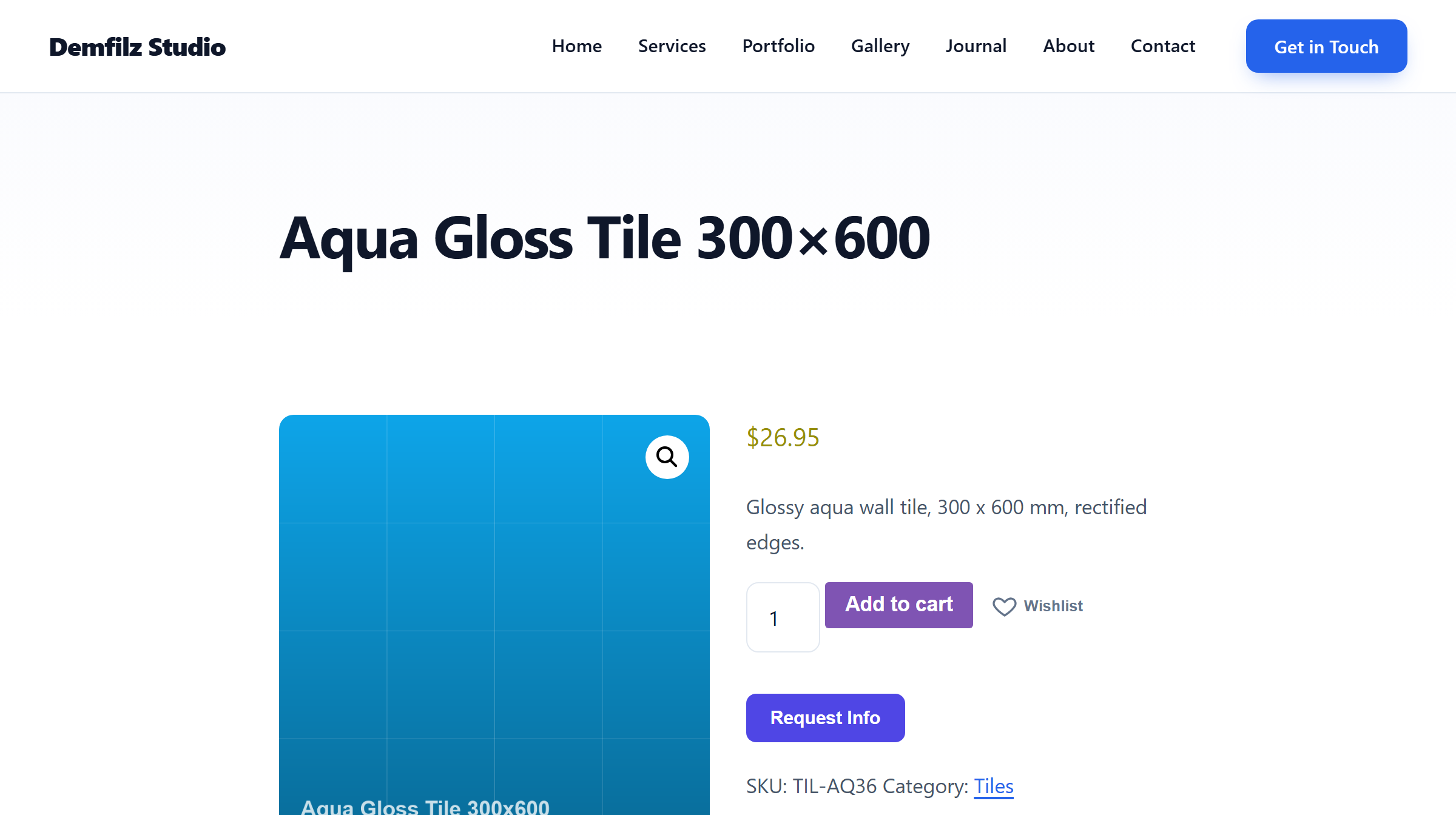
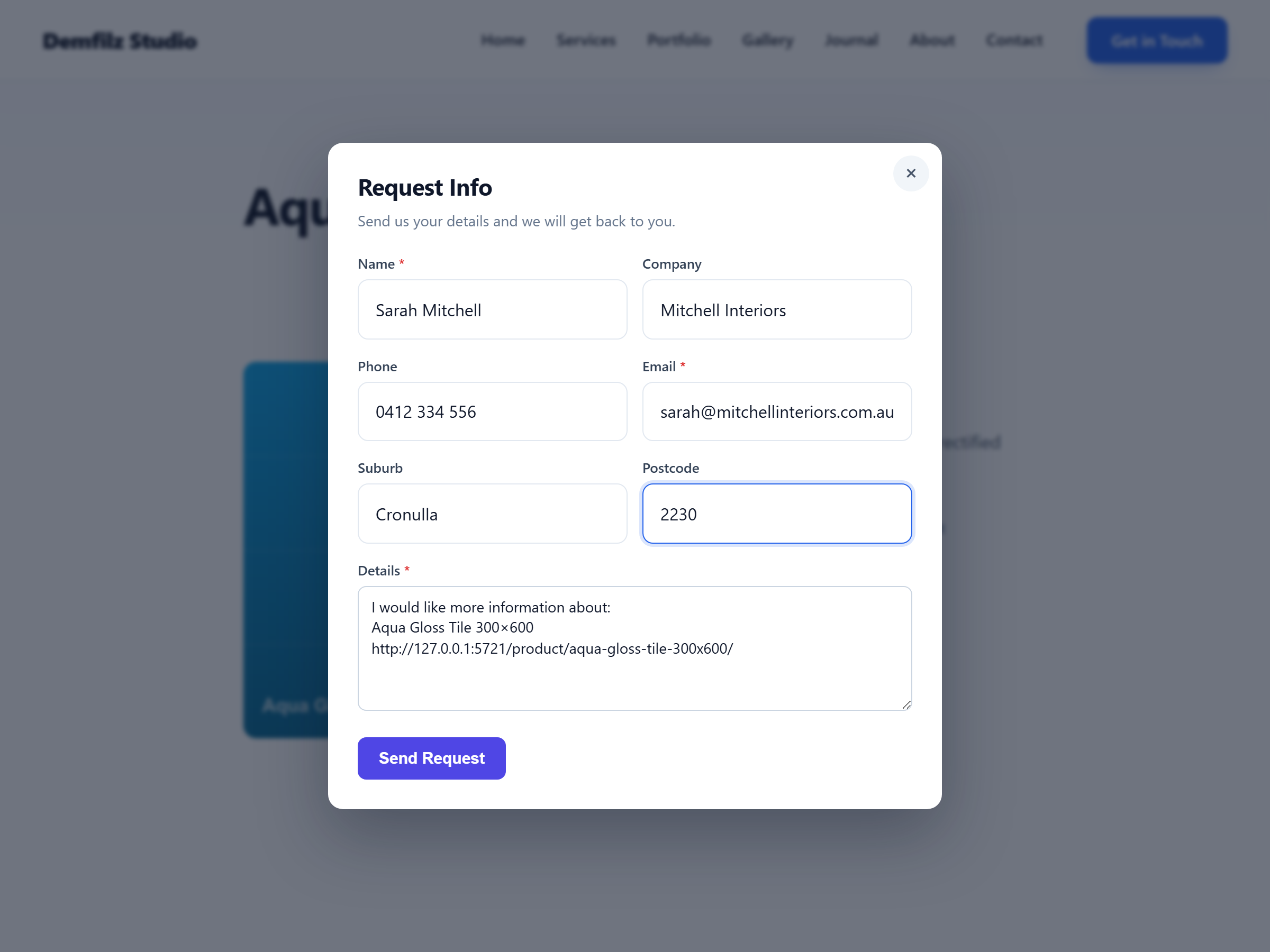
Not every visitor is ready to buy - many just want to ask. This plugin adds a Request Info button to your WooCommerce products, pages and posts that opens a clean popup enquiry form: Name, Company, Phone, Email, Suburb, Postcode and Details. Logged-in customers are pre-filled automatically, and every enquiry records exactly which page or product it came from.
v1.0.1 · WordPress 5.6+ · PHP 7.2+ · free
The usual contact form gives you a message with no context - "how much is it?" about nothing in particular. Here, the Details field opens already carrying the product or page name and its link, and the plugin records the source page server-side when the request is sent. The email you receive and the dashboard entry both name the page and link to it, so a question about a specific product never arrives as a mystery.
Logged-in customers do not retype who they are. Their name and email come from the profile, and their company, phone, suburb and postcode come from WooCommerce billing details when they exist. Every field stays editable, and guests simply get an empty form - either way the enquiry takes seconds to send.
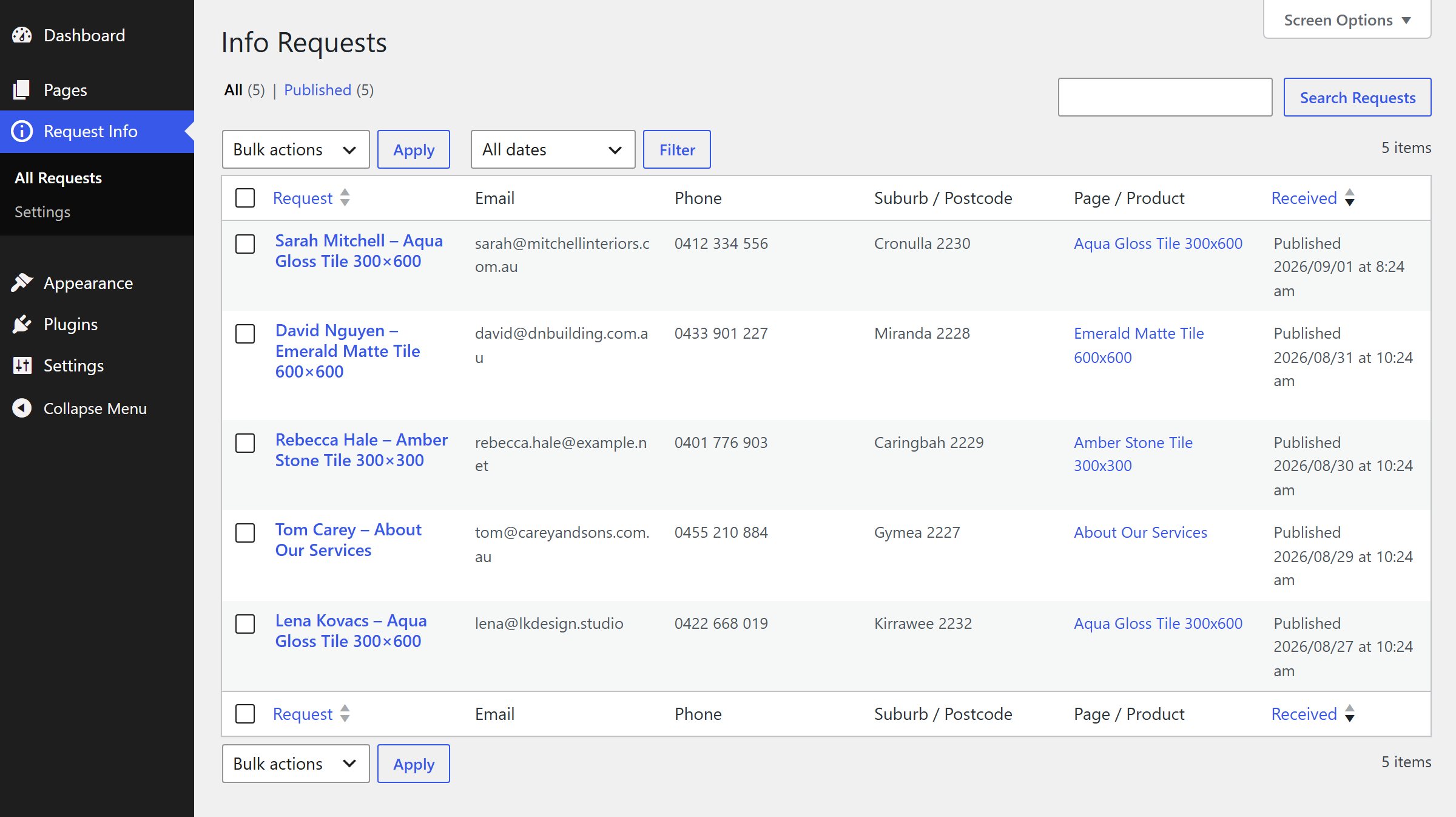
Each request is emailed to the recipient you choose as a clean HTML message - contact details in a table, the page linked, and Reply-To set to the sender so answering is one click. The same request is stored under Request Info → All Requests in your dashboard with searchable columns, so even a mail hiccup never loses an enquiry.
A hidden honeypot field silently drops bots, and a per-visitor rate limit caps submissions at five per hour. No CAPTCHA puzzles for your real customers, no third-party anti-spam service, nothing leaving your site.
The four screens you will actually use.
Passes the WordPress Coding Standards with zero errors and zero warnings, and clean against the official Plugin Check. Nonce-protected submissions, sanitised input and escaped output throughout.
No email address is ever printed on your public pages - visitors see a form, not your inbox. Requests live in your own database and travel through your own site's mailer, nowhere else.
A few kilobytes of vanilla JavaScript and CSS, loaded only where the button appears. No jQuery, no iframes, no external requests, and the popup respects reduced-motion preferences.
Upload the zip under Plugins, Add New, Upload Plugin and activate. The button appears on products and pages straight away with sensible defaults.
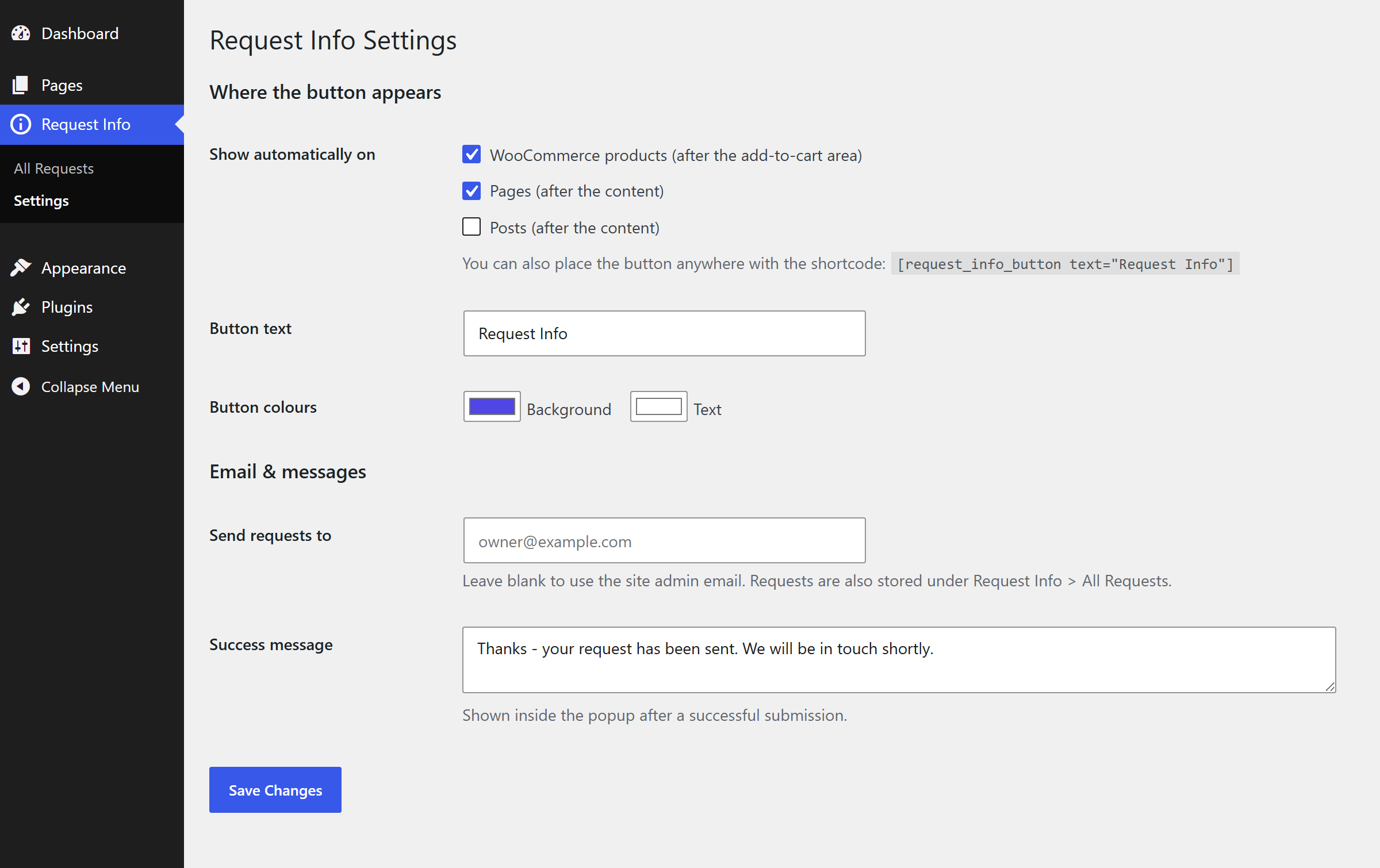
Under Request Info, Settings tick products, pages and posts independently - or place the button by hand with the [request_info_button] shortcode.
Choose who receives the requests (the site admin email by default), match the button colours to your theme, and word the success message.
Open a product, press the button, send a request. Check the email and the Request Info list - both name the product you asked from.
Why it matters. An enquiry is a sale that has not happened yet. The easier it is to ask - one click, half the form already filled - the more questions you get, and every question arrives with the product attached, ready to answer.
Free, and ready to install today.
Free · WordPress 5.6+ · PHP 7.2+ · on the official WordPress.org plugin directory
Get it on WordPress.orgInstall it from your WordPress dashboard under Plugins → Add New by searching for "Demfilz Request Info", or upload the zip, activate, then open Request Info → Settings.
Two places. Each request is emailed to the recipient you choose (the site admin email by default) as a clean HTML message with Reply-To set to the sender, so answering is one click. It is also stored in the dashboard under Request Info, All Requests, with the name, contact details, message and the page it came from.
No. On any WordPress site the button appears on pages and posts. With WooCommerce active it can also appear on single product pages, after the add-to-cart area.
Name and email from the user profile, plus their billing company, phone, suburb and postcode when WooCommerce billing details exist. Every field stays editable before sending, and visitors who are not logged in simply see an empty form.
The Details field is pre-filled with the page or product name and link, and the plugin also records the page server-side when the request is submitted. The email and the dashboard entry both show the page name and a link to it, so you always know what the enquiry refers to.
A hidden honeypot field silently drops bots, and a per-visitor rate limit caps submissions at five per hour. There are no CAPTCHAs to annoy real customers and no external anti-spam services - everything runs on your own site.
Yes. Use the [request_info_button] shortcode anywhere shortcodes work, with an optional text attribute to override the label. The automatic placements (products, pages, posts) can each be switched off independently.
No. The popup, the storage and the email all run on your own site. Emails are sent through WordPress, so if your site uses an SMTP or mailer plugin - such as Demfilz SMTP Mailer - requests are delivered through it automatically.
Yes - it is published on the official WordPress.org plugin directory: install it from your WordPress dashboard under Plugins → Add New by searching for "Demfilz Request Info". A direct download is also available from this page.
Quote workflows, follow-up pipelines, a CRM that picks these requests up automatically - this is the kind of thing we build. Tell us what your site needs and we will come back with a plan and a fixed quote.