See it
From PDF to page-flip book
Seven screens from the plugin, captured on a standard WordPress site with a sample catalogue.
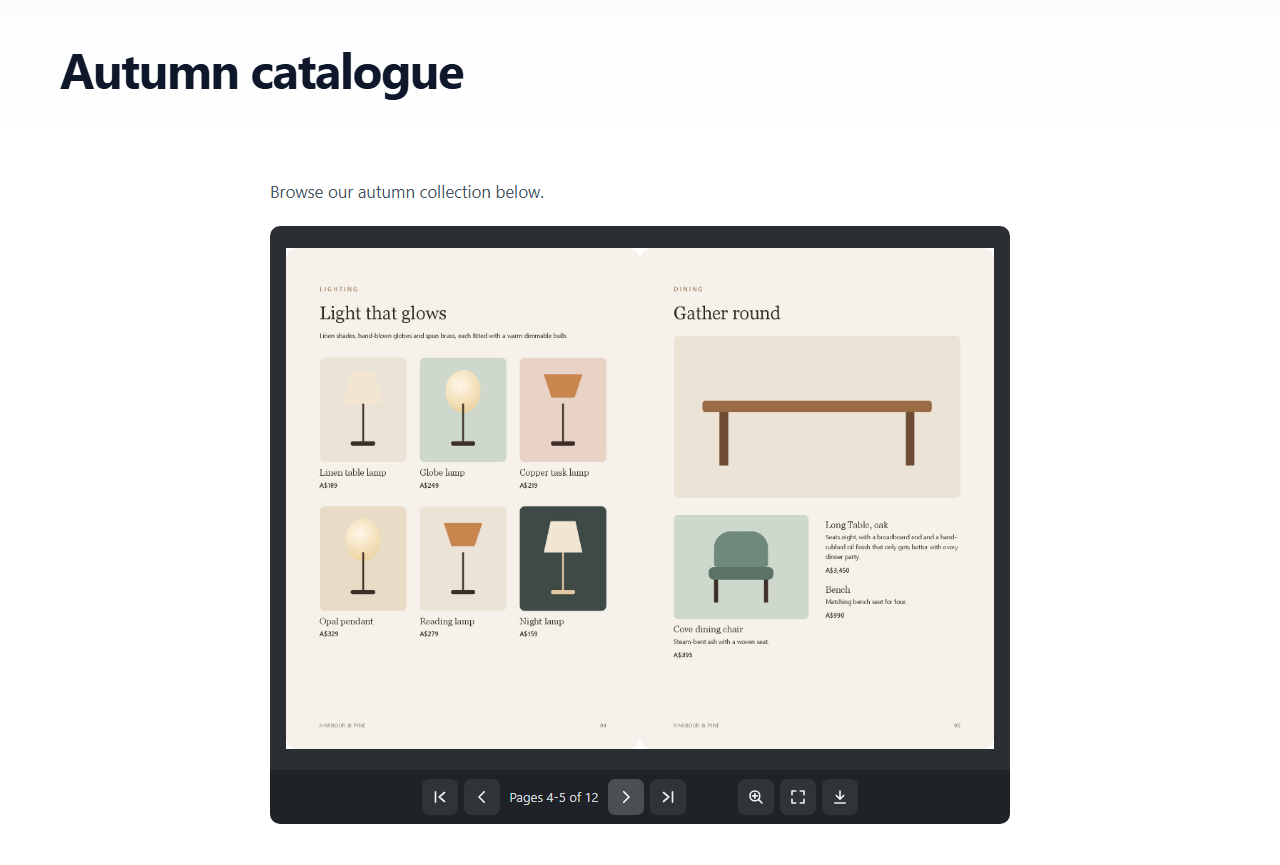
Turn any PDF into a page-flip book with a two-page spread, zoom, fullscreen and a download button, and put it on any page with a block or a shortcode. Everything is served from your own site: no account, no monthly fee, no iframe from somebody else's server, and no tracking.
v1.1.0 · WordPress 6.3+ · PHP 7.4+ · free · submitted to WordPress.org, review in progress
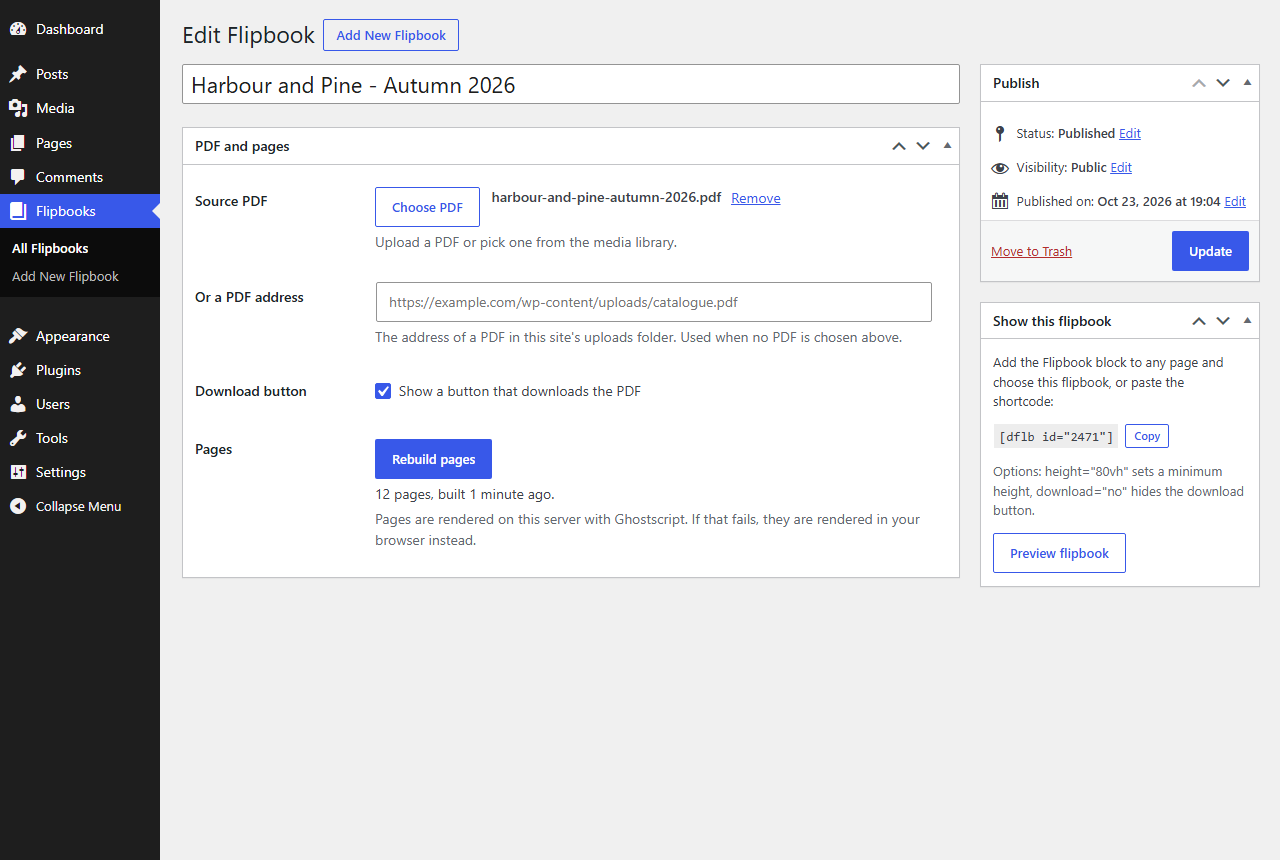
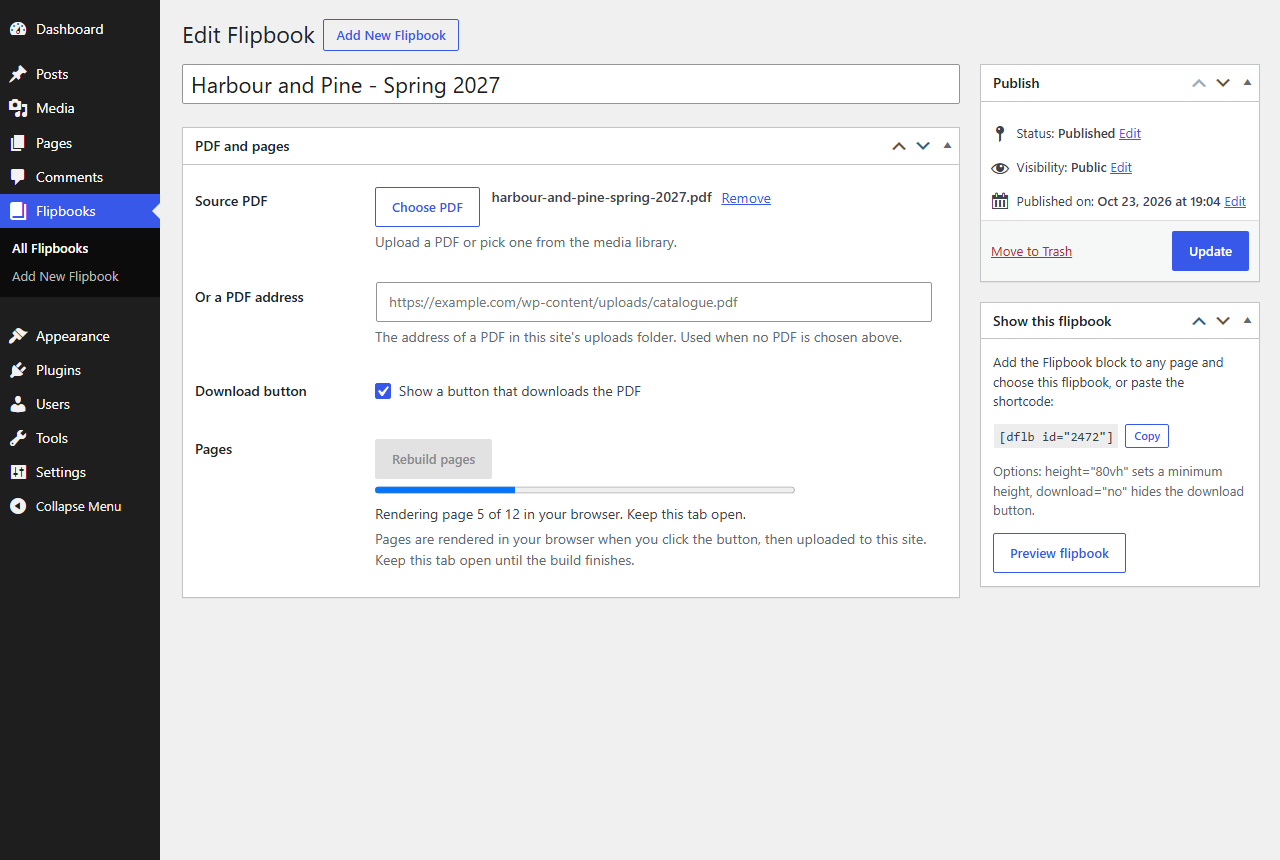
Catalogues, brochures, magazines, menus and annual reports read better as a book. Go to Flipbooks → Add New Flipbook, choose a PDF from the media library and click Build pages. Each page becomes a web-sized image in your uploads folder, and the Flipbook block or the [dflb] shortcode shows it as a realistic page-flip viewer.
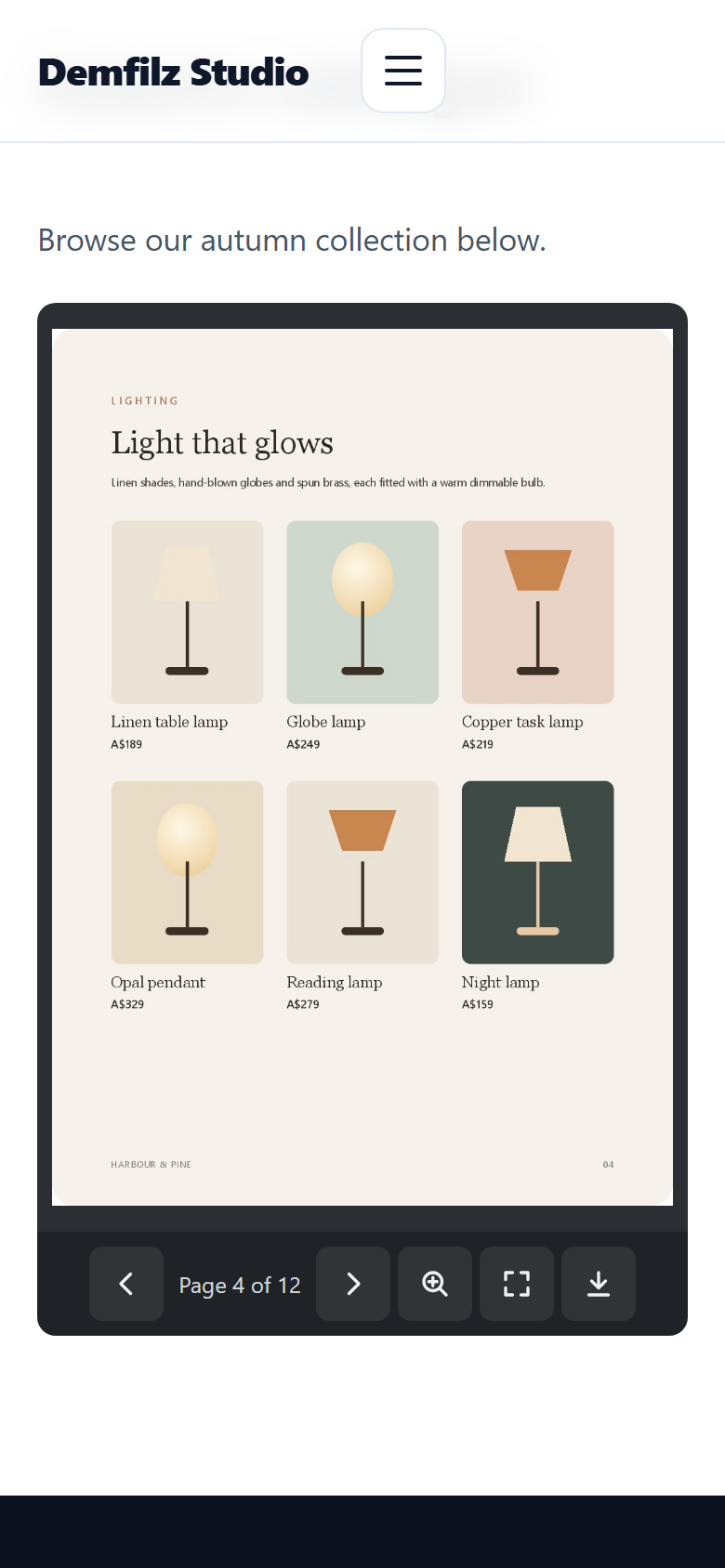
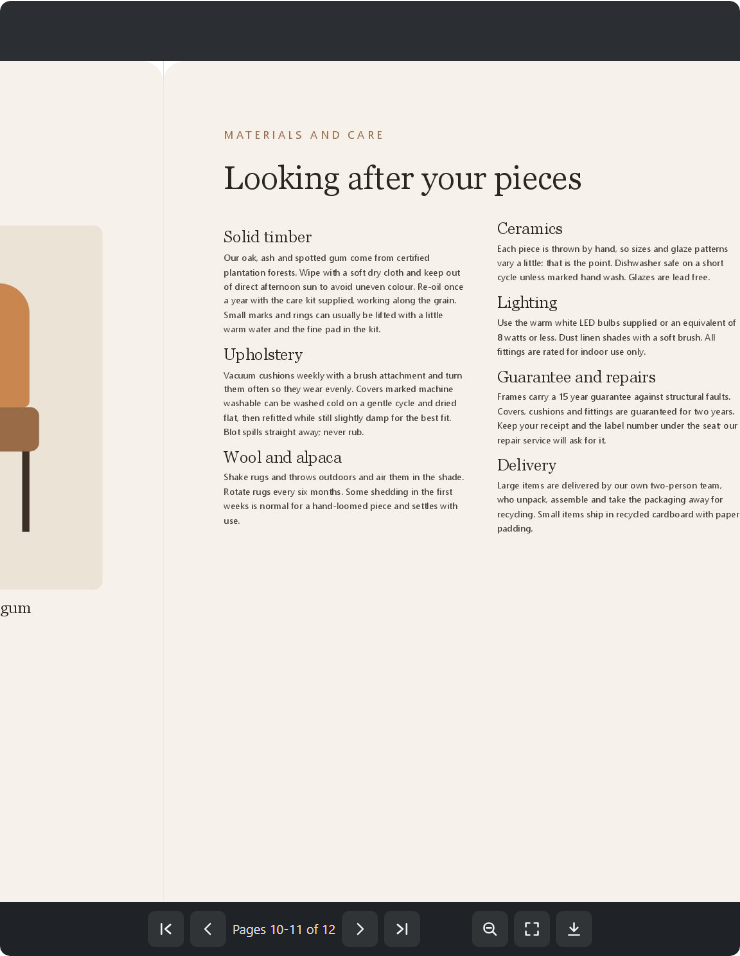
Drag a corner, click, swipe on a phone or use the arrow keys, Home and End. The toolbar has first, previous, next and last page, a page counter that says "Pages 4-5 of 12" on a spread, zoom with drag to pan for the small print, fullscreen and an optional download button. On narrow screens the toolbar shrinks to one row.
Pages are rendered once, when you build the flipbook. If your server has Ghostscript or the Imagick PHP extension, they are rendered there, a few pages per request so large PDFs never time out. If it has neither, which is common on shared hosting, the pages are rendered in your own browser with the bundled PDF.js library and uploaded one at a time. If the server renderer fails, the editor switches to the browser by itself.
A rebuild writes into a separate folder and only replaces the live pages when every page is ready, so a flipbook never shows half a catalogue. The edit screen tells you when the source PDF has changed since the last build.
Seven screens from the plugin, captured on a standard WordPress site with a sample catalogue.
No external services, no tracking, no account. The PDF and its page images stay in your uploads folder, and building in the browser uploads only to your own site.
Passes the WordPress Coding Standards with zero errors and zero warnings and is clean against the official Plugin Check. Automated checks cover both build paths, permissions, file paths and the viewer in a real browser.
The viewer's script and stylesheet load only on pages that show a flipbook. Visitors download page images, never the PDF itself unless they press download.
Upload the zip under Plugins, Add New Plugin, Upload Plugin, and activate it.
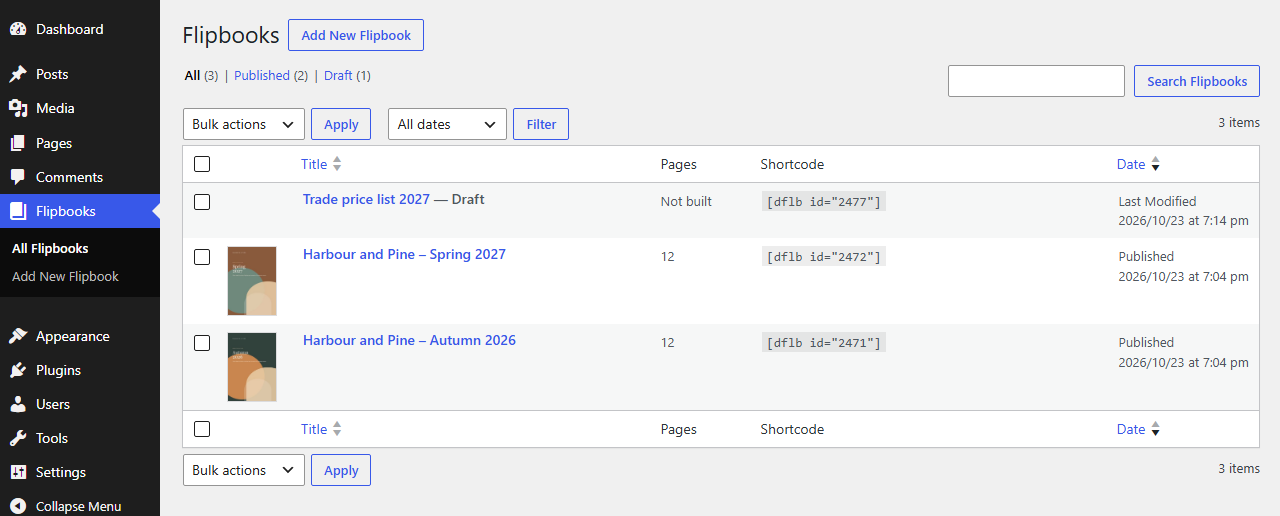
Go to Flipbooks, Add New Flipbook, enter a title and choose a PDF from the media library.
Click Build pages and wait for "Done". Publish the flipbook.
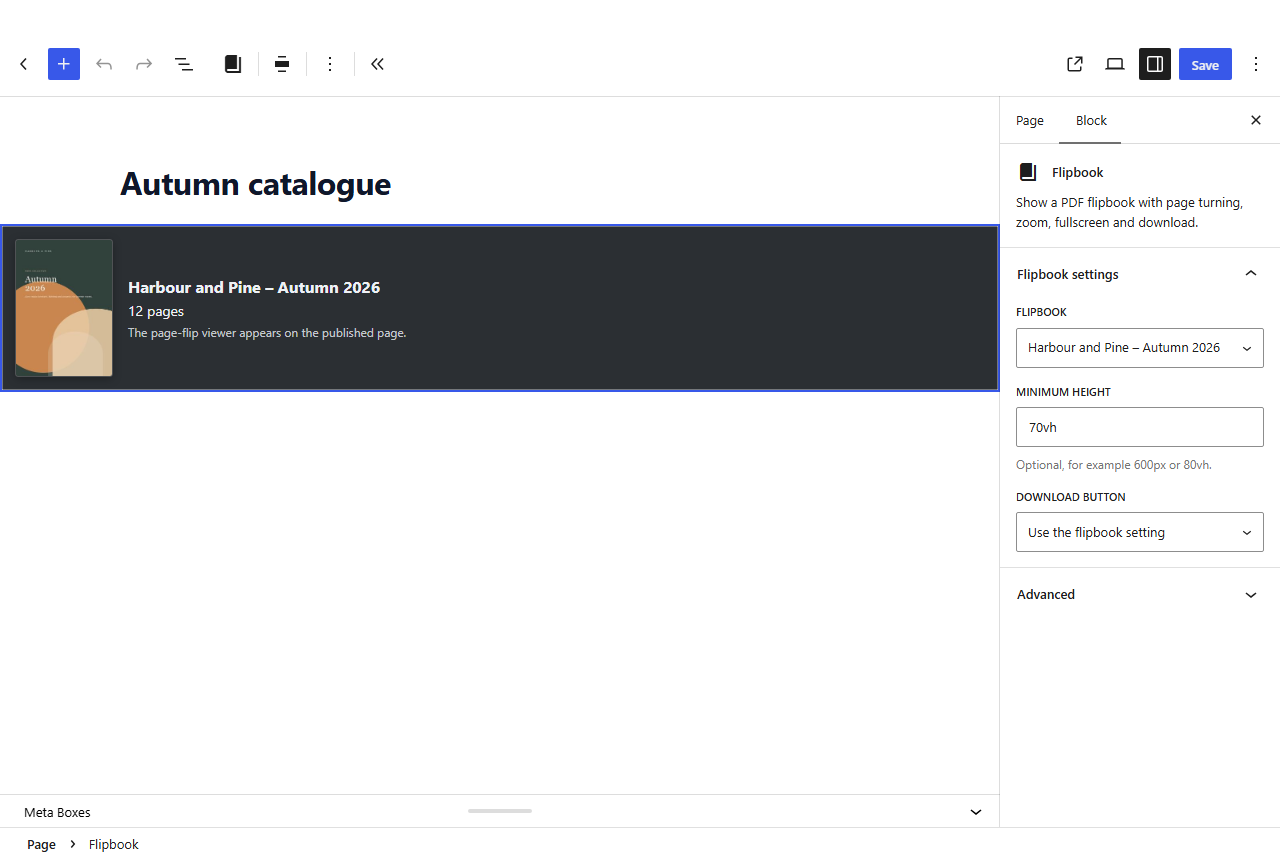
Add the Flipbook block to any page, or paste the shortcode from the flipbook screen.

Why it matters. Hosted flipbook services charge every month, show your catalogue from their servers and often add their own branding. A flipbook on your own site is yours: it loads fast, it is indexed with your pages, and it costs nothing to keep.
Free, and ready to install today.
Free · WordPress 6.3+ · PHP 7.4+ · submitted to WordPress.org, review in progress
Download free (.zip)Upload the zip under Plugins → Add New Plugin → Upload Plugin, activate, then add your first flipbook under Flipbooks. No account required, no external services.
No. If your server has Ghostscript or the Imagick PHP extension, the pages are rendered there, a few pages per request. If it has neither, which is common on shared hosting, the pages are rendered in your own browser with the bundled PDF.js library and uploaded to your site one at a time. The flipbook edit screen tells you which method your site uses, and falls back to the browser on its own if the server fails.
No. The PDF and the page images stay on your site. Rendering happens on your server or in your own browser, and the page images are uploaded only to your site. The plugin does not contact any outside service and there is no account to create.
Visitors only download page images, never the PDF, and the viewer loads a few pages ahead of the reader instead of the whole book at once. A 200 page catalogue opens as quickly as a 10 page one.
Add the Flipbook block and choose the flipbook, or paste the shortcode shown on the flipbook screen, for example [dflb id="123"]. The block can be wide or full width, and both take a minimum height and a download setting.
A flipbook shows the pages from its last build. Click Rebuild pages after changing the PDF; the edit screen reminds you when the source has changed. The old pages stay live until every new page is ready, so visitors never see half a catalogue.
Yes, through the download button, unless you turn it off for the flipbook, for one placement with download="no", or in the block settings.
It has been submitted to the official WordPress.org plugin directory and the review is in progress. Until it is published there, download the plugin zip from this page and upload it under Plugins, Add New Plugin, Upload Plugin.
Lead capture on a catalogue, a flipbook library with search, page hotspots that link to products - this is the kind of thing we build. Tell us what you need and we will come back with a plan and a fixed quote.