See it
From activation to home screen
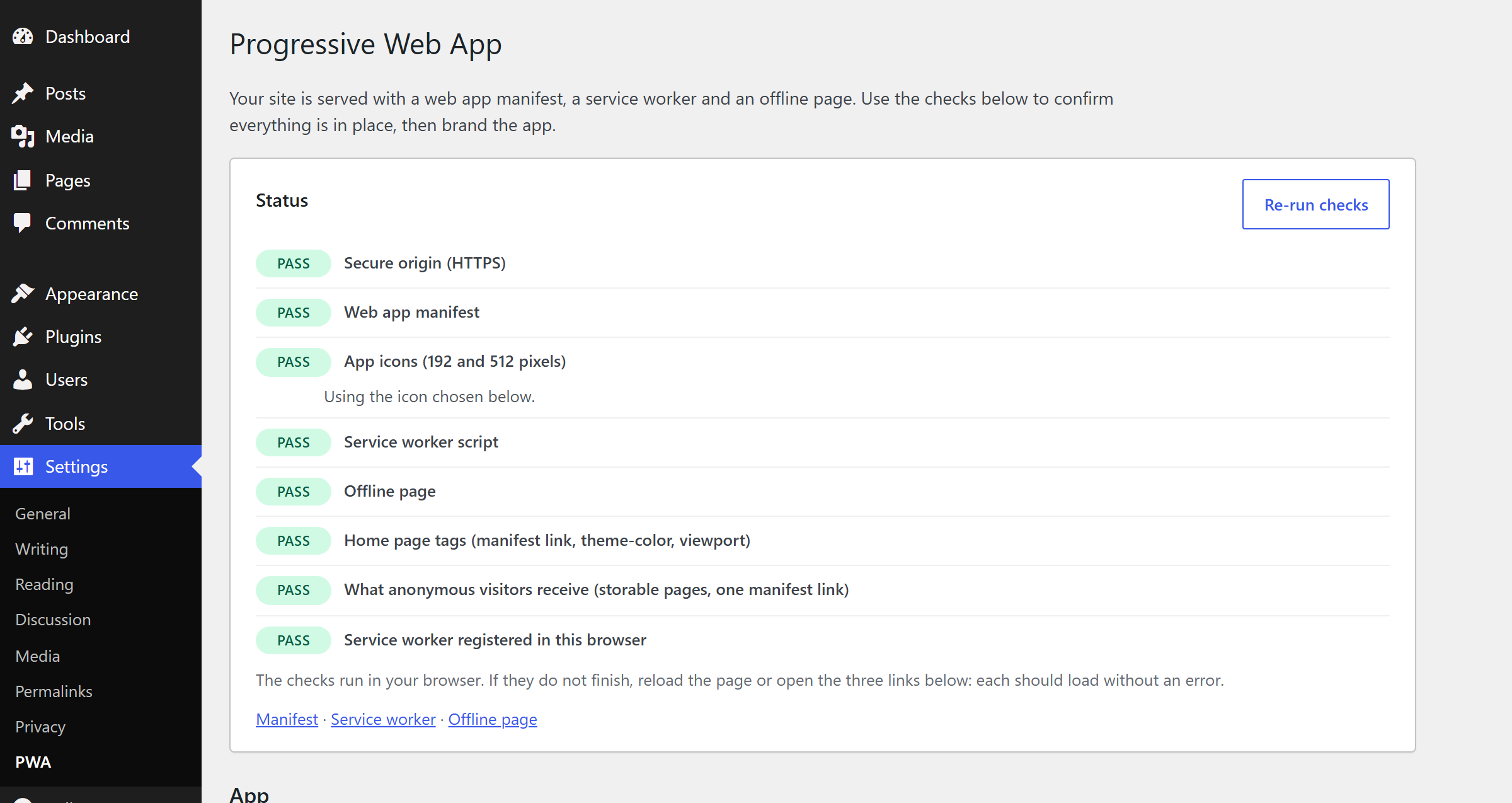
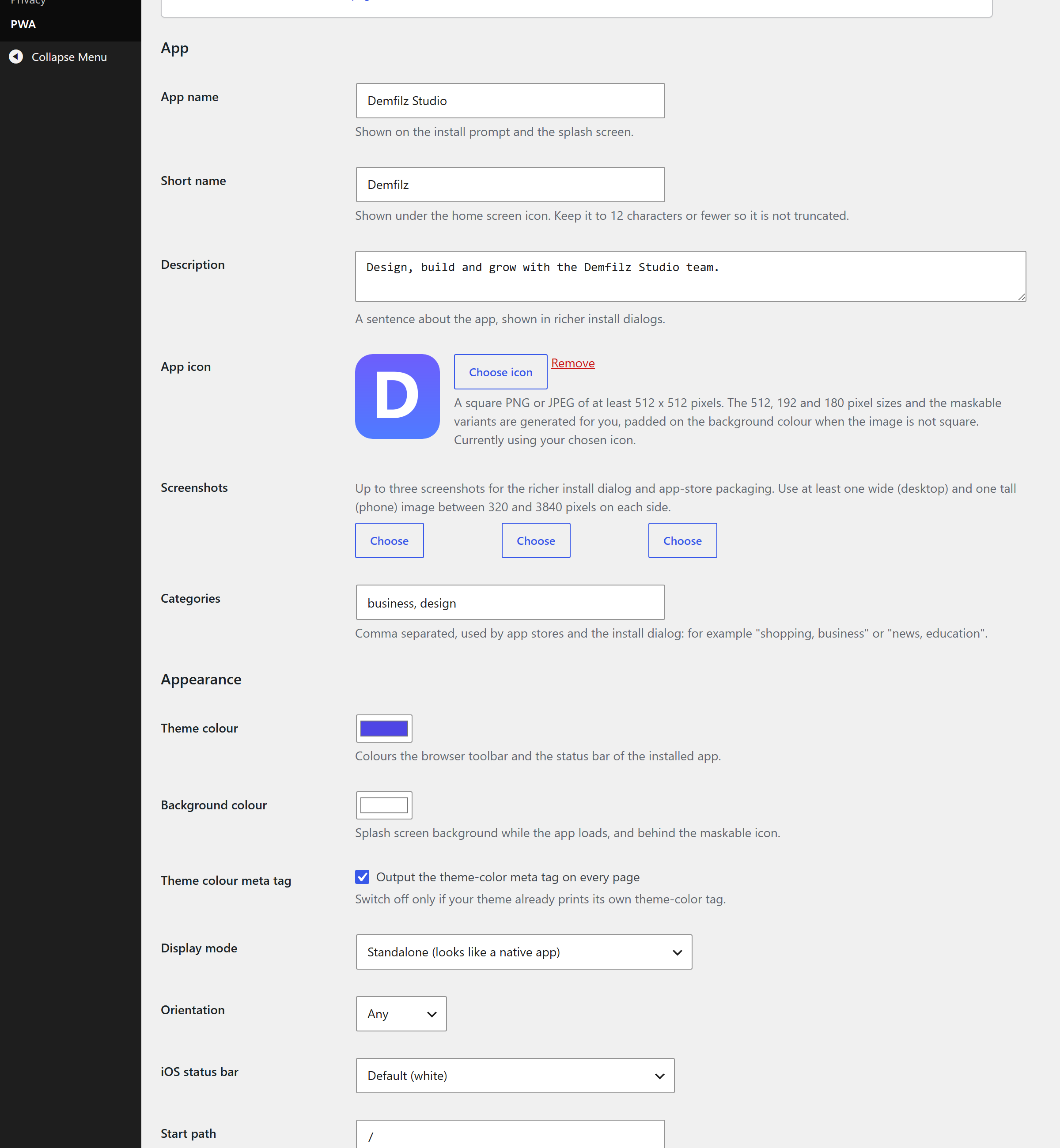
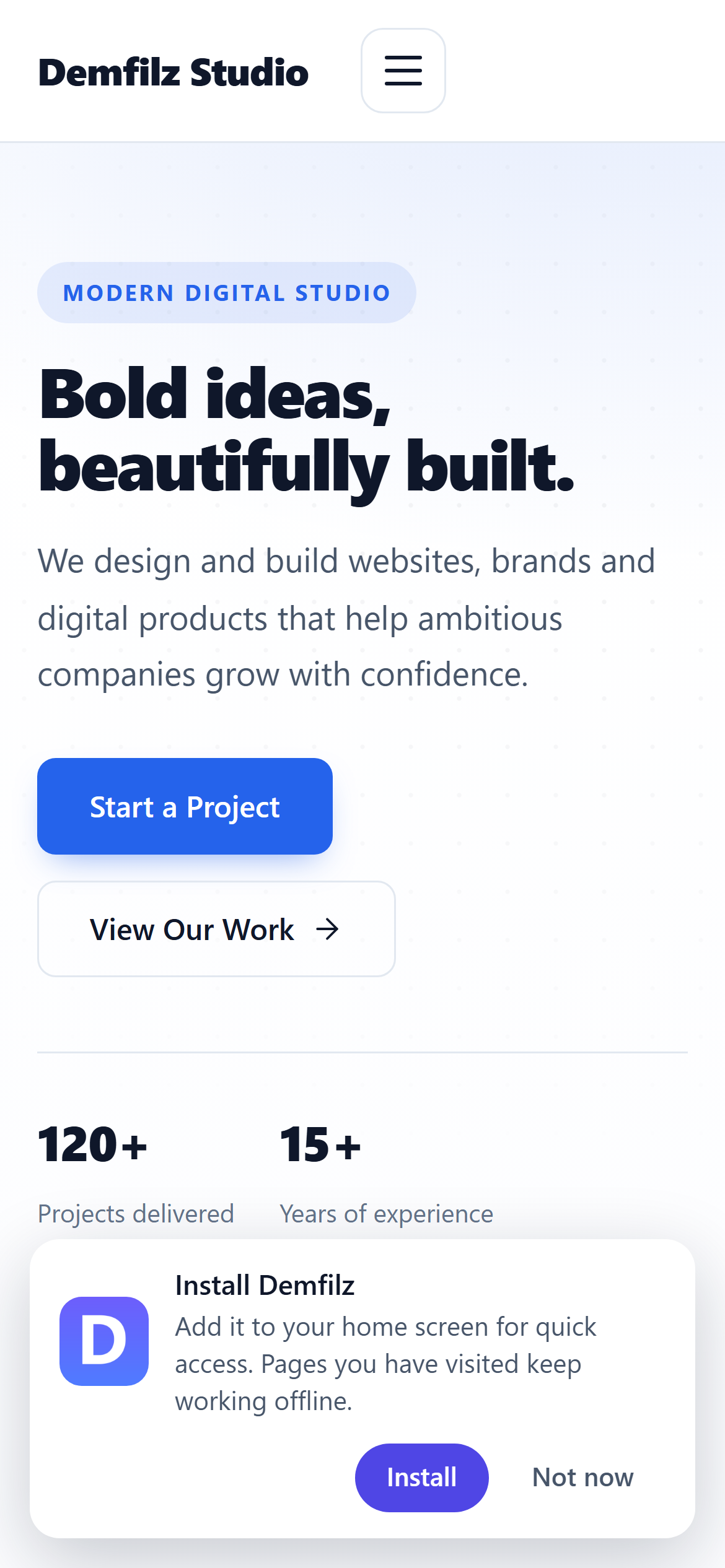
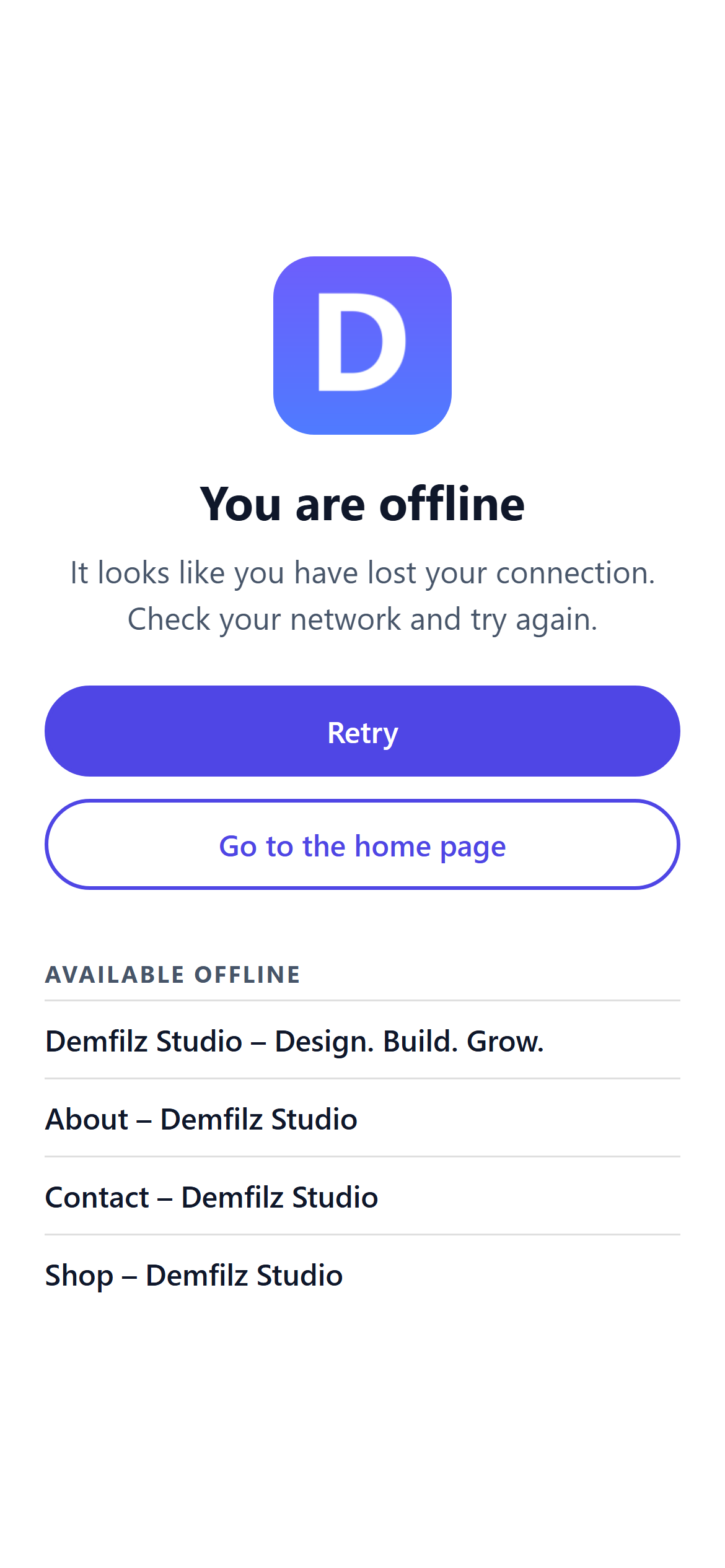
Four screens from the plugin, captured on a standard WordPress site.
Your WordPress site as an app. Visitors add it to their home screen like any other app, pages they have seen keep opening when the signal drops, and everything else shows a friendly offline page in your colours instead of a browser error. Activate it and the site is installable straight away; brand it from one settings screen.
v1.0.1 · WordPress 5.6+ · PHP 7.2+ · WooCommerce aware · free
Activate the plugin and your site already meets the installability rules browsers apply: a web app manifest with name, short name, colours, display mode and 192 and 512 pixel icons, a service worker registered for the whole site, and an offline page. All three are served through WordPress at your site root, so nothing is written to the document root, no .htaccess changes are made, and managed hosts are fine. The Status panel on Settings → PWA checks each piece from your browser, including what anonymous visitors actually receive, and Site Health reports PWA readiness.
Pages are always fetched from the network first, so visitors see fresh content whenever they are online. Pages they have opened are kept so they still open when the connection drops, and a list of pages you choose is stored in advance. Anything unseen shows the offline page, in your theme and background colours, with Retry and Home buttons and a list of what is available offline. Private pages are never stored: anything WordPress or WooCommerce marks as personal (logged-in pages, the cart, checkout and account pages), search results, previews, admin, REST and AJAX requests stay out of the cache, and the worker never touches form submissions.
Pick any image from your media library and the plugin generates the 512, 192 and 180 pixel sizes plus the maskable variants Android uses, padding non-square logos on your background colour. No image yet? The Site Icon from Settings → General is used, with maskable variants of its own, and failing that a neutral placeholder keeps the site installable until you choose one.
A dismissible install banner appears after the number of page views you choose and stays quiet for a snooze period once declined; iPhone and iPad visitors get Add to Home Screen instructions since Safari has no install prompt. Put an install button anywhere with the [dpwa_install_button] shortcode, a data-dpwa-install attribute or a dpwa-install menu class. Manifest screenshots, categories and shortcuts give Chrome its richer install dialog and let PWABuilder package the site for Google Play and the Microsoft Store.
Four screens from the plugin, captured on a standard WordPress site.
Passes the WordPress Coding Standards with zero errors and zero warnings, and clean against the official Plugin Check. Nonce and capability checks on every save, sanitised input, escaped output, and five independent review passes before release, including two security audits.
No external services and no tracking. Everything the worker keeps lives in the visitor's own browser, personal pages never enter it, and the virtual endpoints are never indexed or page-cached.
One small script and one stylesheet, loaded in the footer and kept out of minifier bundles so an update never serves stale. The worker script is cached for a minute so the browser's update checks do not boot WordPress on every page view.
Install it from Plugins, Add New by searching for Demfilz PWA (or upload the zip) and activate. The manifest, service worker and offline page are live immediately with your site title and Site Icon.
Open Settings → PWA. Eight checks run in your browser and tell you if anything is missing, usually only HTTPS on a staging site.
Set the app name and short name, choose an icon from the media library, pick the theme and background colours and save. Icons are generated and a new app version is published.
Decide after how many page views the install banner appears, add pages to store in advance, and list anything the worker should leave alone.
Why it matters. A home-screen icon is a return visit you do not have to earn twice, and a page that still opens on a train or in a basement is the difference between a sale and a bounce. The web can do this now; the plugin just does the setup properly.
Free, and ready to install today.
Free · WordPress 5.6+ · PHP 7.2+ · WooCommerce aware · on the official WordPress.org plugin directory
Get it on WordPress.orgInstall it from your WordPress dashboard under Plugins → Add New by searching for "Demfilz PWA", or upload the zip, activate, then open Settings → PWA.
Yes. Browsers only register service workers and offer installation on secure origins, so on a plain http site the manifest and meta tags still appear but nothing installs. The Status panel on the settings screen and the Site Health test both tell you. Localhost and 127.0.0.1 are exempt, which is handy for testing.
Personal pages are never stored. Responses that WordPress or WooCommerce mark as private or no-cache (every page served to a logged-in user, the cart, checkout and account pages) never enter the cache, and neither do search results, previews or anything under wp-admin. Form submissions and other non-GET requests are never handled by the worker at all. Public pages are fetched from the network first; the stored public copy is only used when the network fails or takes longer than the timeout you set.
The banner only shows when the browser reports that the site is installable: HTTPS, the manifest, the icons and a registered service worker. Only Chrome, Edge and Samsung Internet report that, and only after the visitor has tapped or clicked something on the page. Safari on iPhone and iPad has no install prompt, so those visitors get Add to Home Screen instructions instead, and Firefox never prompts. The banner also waits for the number of page views and the delay you set, hides once the app is installed, and stays hidden for the snooze period after Not now.
A square PNG or JPEG of at least 512 x 512 pixels with your logo filling most of the canvas. The plugin generates the 512, 192 and 180 pixel sizes and the maskable variants, padding non-square images on your background colour. If you do not choose one, the Site Icon from Settings, General is used, and failing that a neutral placeholder, so the site is installable straight away.
From your site root through WordPress: /dpwa-manifest.webmanifest, /dpwa-sw and /dpwa-offline. No files are written to your document root and no .htaccess changes are made, so it works on managed hosts. With plain permalinks the plugin switches to query string URLs automatically. The worker URL has no .js extension on purpose: some nginx setups return 404 for missing static files instead of passing the request to WordPress.
No. There are no external services, no tracking and no outbound calls. The service worker keeps copies of pages, scripts, styles, images and fonts in the visitor's own browser cache, within the limits you set, and the install banner remembers its visit count and snooze in the visitor's browser storage. No cookies are set.
Yes - it is published on the official WordPress.org plugin directory: install it from your WordPress dashboard under Plugins → Add New by searching for "Demfilz PWA". A direct download is also available from this page.
Push notifications, a store-packaged Android app, offline order capture for field staff - this is the kind of thing we build. Tell us what your site needs and we will come back with a plan and a fixed quote.