See it
From menu editor to mega menu
Four screens from the plugin, captured on a standard WordPress theme.
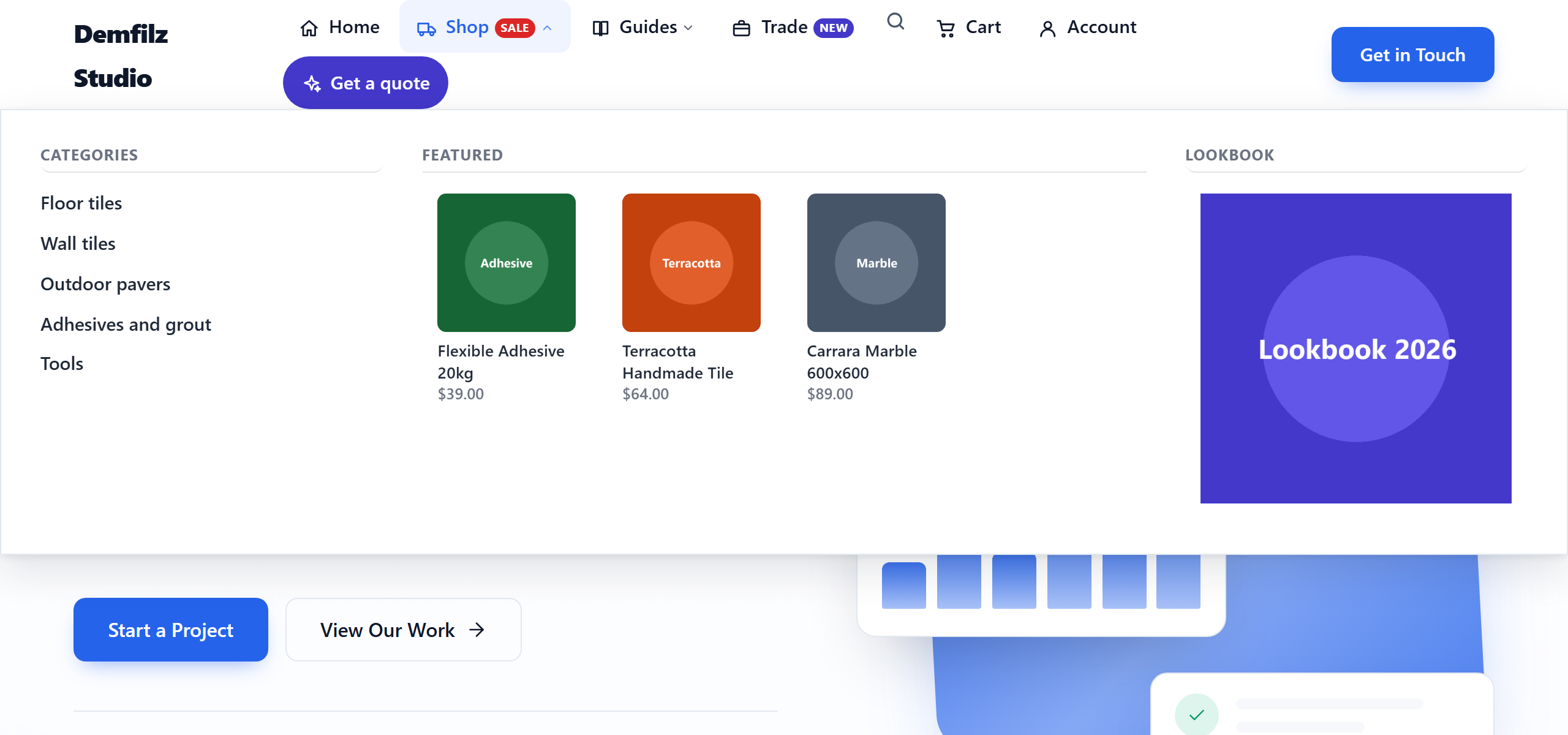
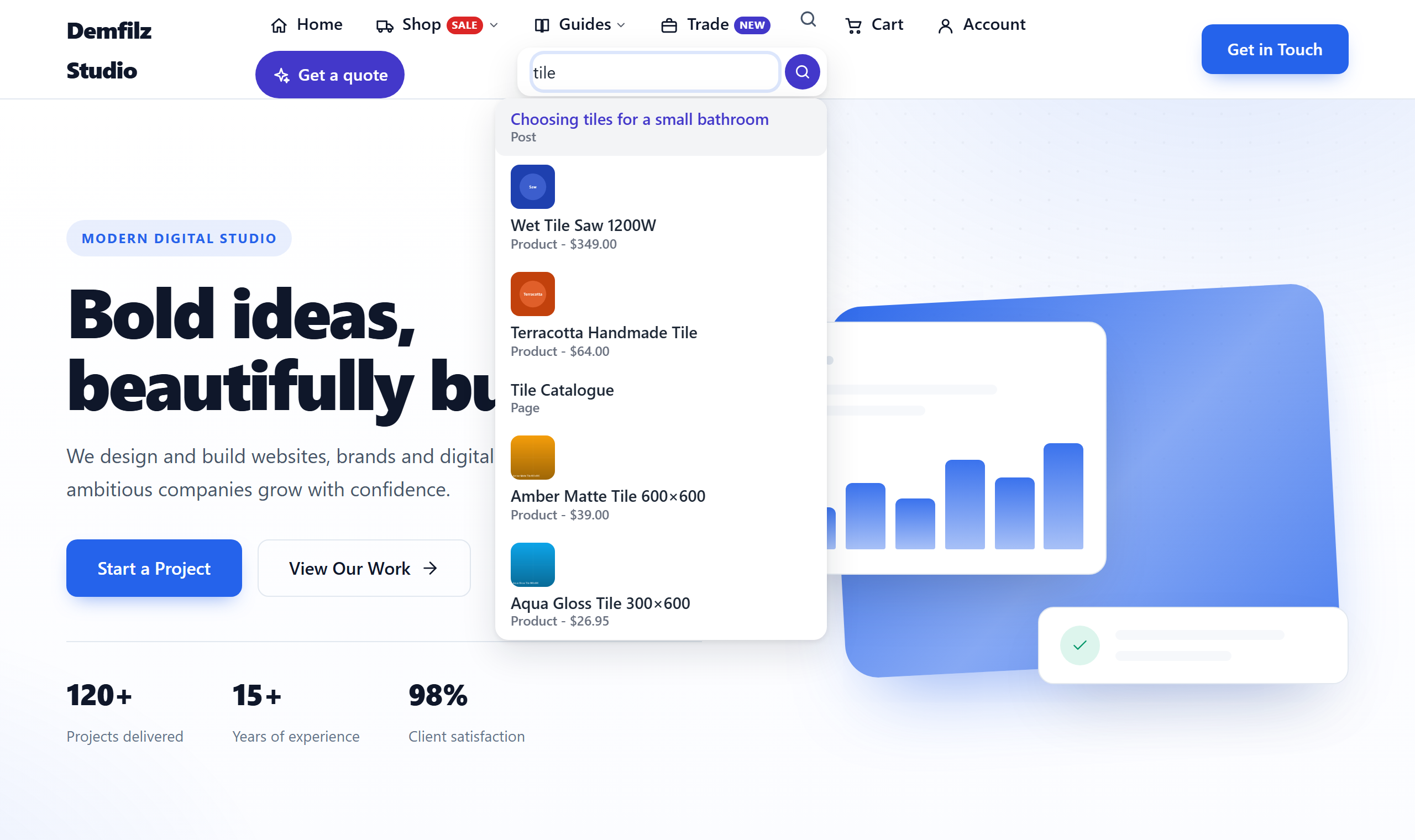
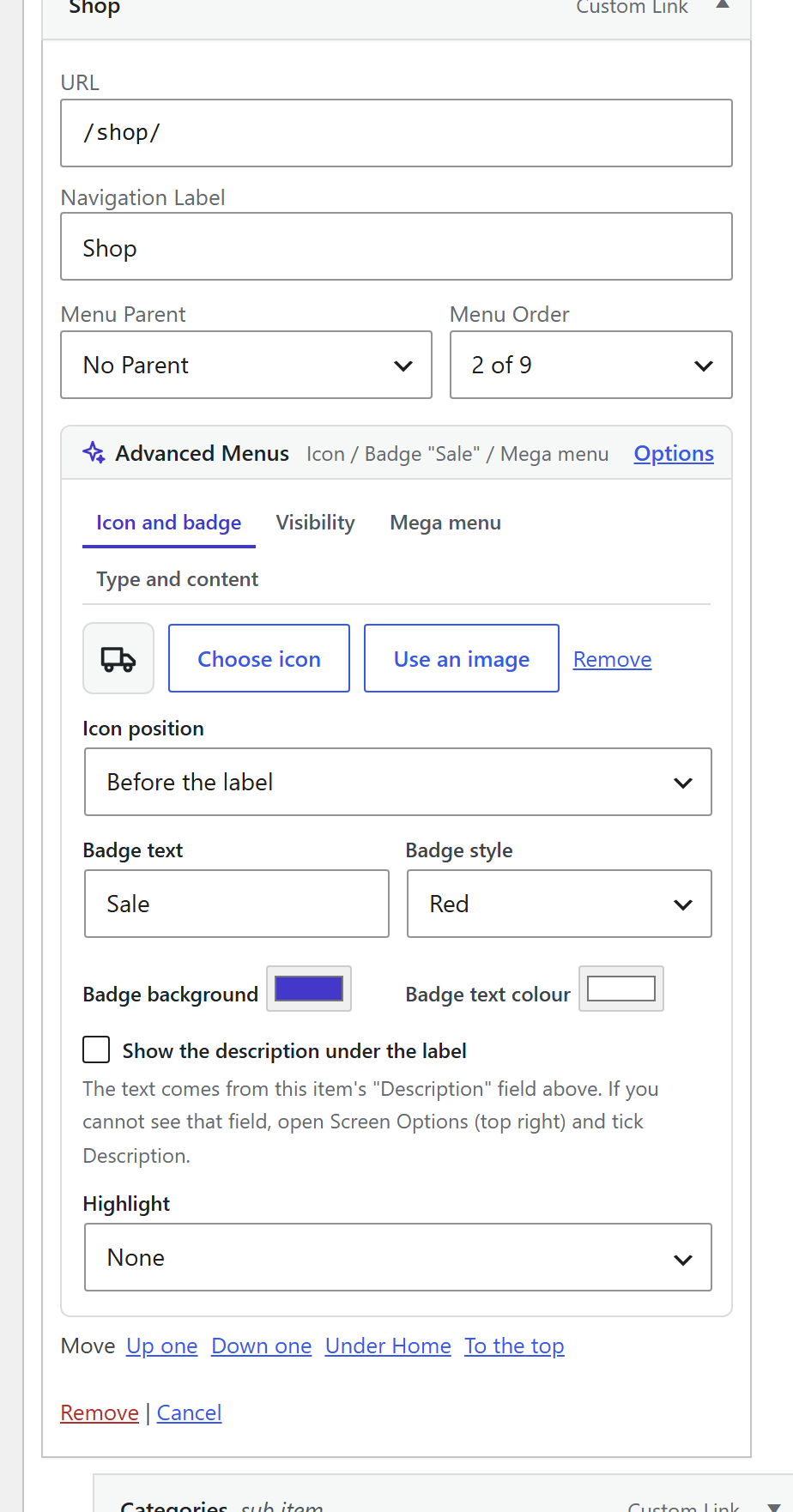
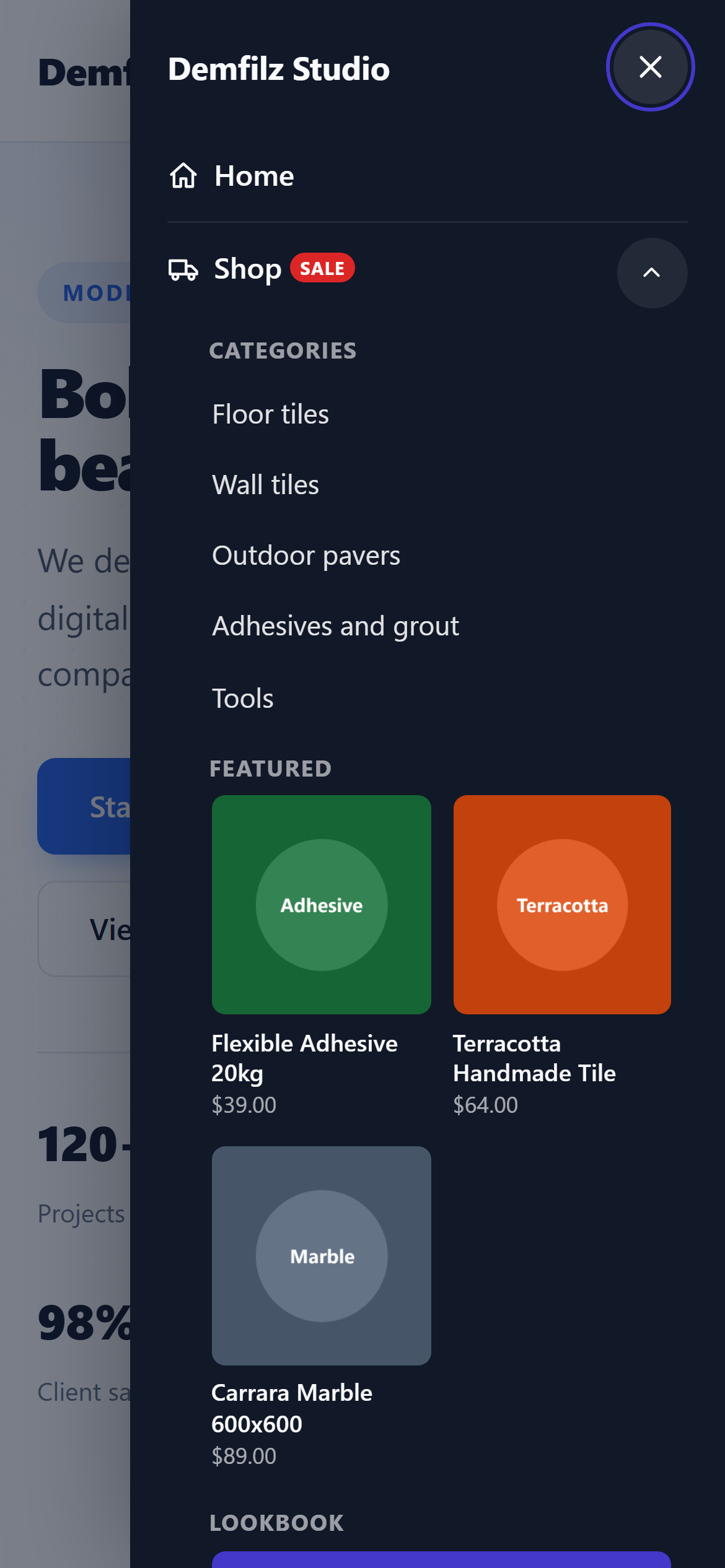
Your theme's menu, upgraded - without a page builder and without leaving Appearance → Menus. Every item gets an icon, a badge, visibility rules and, when you want it, a full width mega menu with product, category, post, image and pattern columns. Add a mobile drawer, a sticky header and live search, then tune the colours in the Customizer and watch them change as you type.
v1.0.2 · WordPress 6.2+ · PHP 7.4+ · WooCommerce optional · free
Open any menu item and an Advanced Menus panel is waiting under the fields you know. Pick an icon from a library of 105 inline SVG icons (or any image from your media library), add a badge such as "New" or "Sale" in five colour presets or your own colours, show the description as a subtitle, or turn the one item that matters into a solid or outline button. Nothing to learn, nothing to rebuild.
Tick Mega menu on a top level item and its child items become columns: links, or a column of WooCommerce products (recent, featured, on sale, best selling or one category) with thumbnail and price, product categories with counts, recent posts, an image, a synced pattern built once under Appearance → Patterns, or custom HTML and shortcodes. Panels can be full width, the width of the menu, or fit their content; columns can span two, three or four tracks. On a phone the whole thing folds back into a clean nested list.
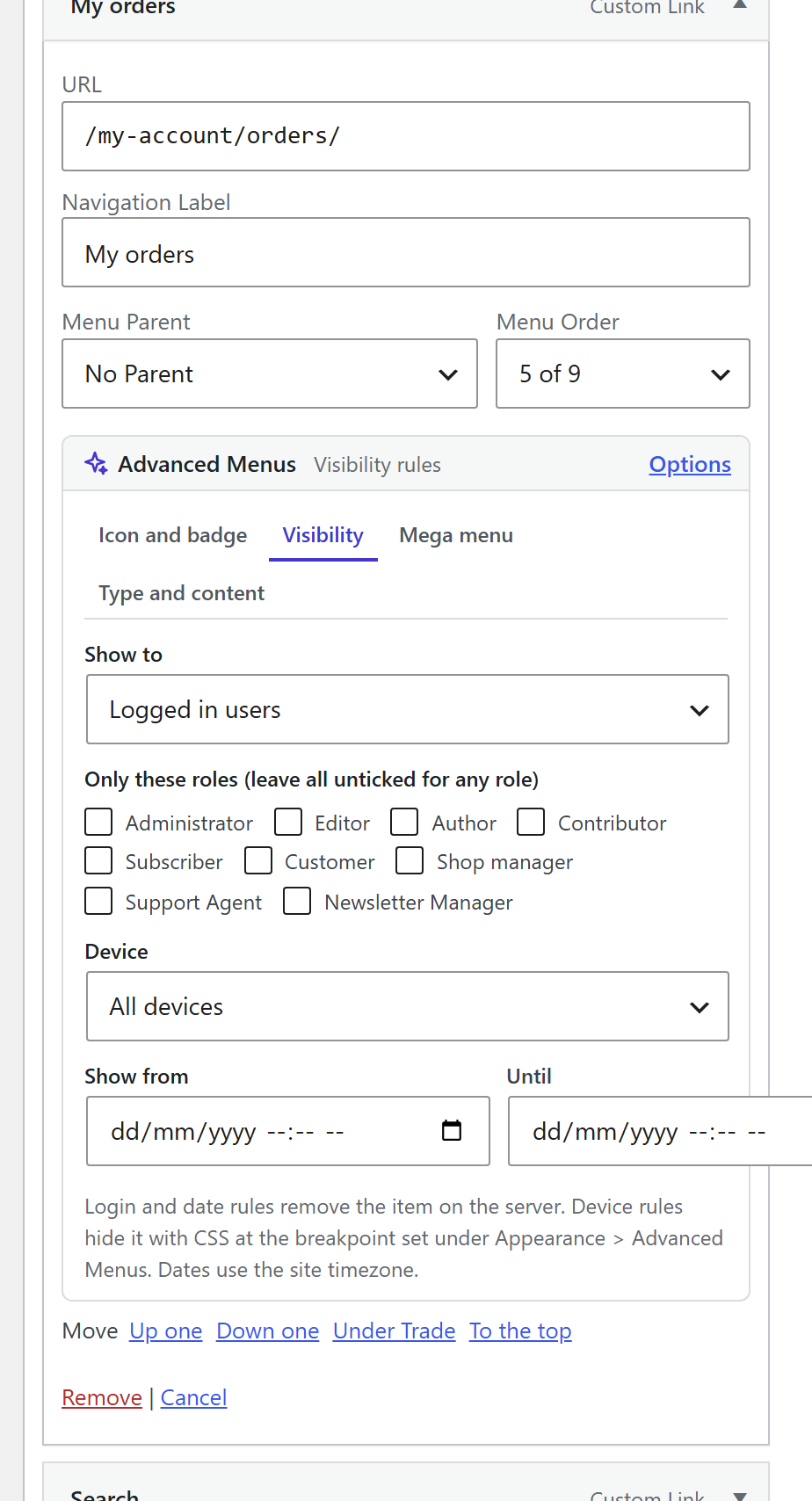
Every item has visibility rules: everyone, logged in users (optionally only certain roles), logged out visitors, desktop only, mobile only, and a date window for a promotion that should appear on Friday and disappear on Monday. Login and date rules are applied on the server for every menu printed with the standard wp_nav_menu() function, and a hidden parent takes its children with it.
A custom link can become a search form with live results, a cart with a live count and mini cart, an account link that becomes a menu of account pages once signed in, a block of custom content, or a divider. A mobile drawer slides in from either side with accordion submenus, search and account links, opened from a floating button or from your theme's own menu button. A sticky header needs one CSS selector. Colours, radius, shadow and font size live in the Customizer with an instant preview.
Four screens from the plugin, captured on a standard WordPress theme.
Passes the WordPress Coding Standards with zero errors and zero warnings, and clean against the official Plugin Check. Nonce and capability checks on every save, sanitised input, escaped output, and three independent review passes before release.
No external services and no tracking. Icons are inline SVG shipped with the plugin, live search answers from your own site and returns published content only, and settings export to a JSON file you keep.
One small stylesheet and one script, loaded only when a feature is switched on. No jQuery, product columns are cached, and the script is kept out of minifier bundles so an update never serves stale.
Upload the zip under Plugins, Add New, Upload Plugin and activate. Your theme's menus get the extras straight away; nothing changes until you set an option on an item.
In Appearance → Menus open an item and click Options: pick an icon, add a badge, show the description, choose who sees it.
Give a top level item child items and grandchildren, tick Mega menu on the top level item, then set any column to products, categories, posts, an image, a pattern or custom content.
Under Appearance → Advanced Menus enable the drawer and the sticky header, then open the Customizer section to match the colours to your brand with a live preview.
Why it matters. Navigation is the one piece of a site every visitor touches. A menu that shows the right things to the right people, sells from the header and works on a phone is worth more than another slider - and it should not need a page builder to get there.
Free, and ready to install today.
Free · WordPress 6.2+ · PHP 7.4+ · WooCommerce optional · on the official WordPress.org plugin directory
Get it on WordPress.orgInstall it from your WordPress dashboard under Plugins → Add New by searching for "Demfilz Advanced Menus", or upload the zip, activate, then open Appearance → Menus and click Options on any item.
Yes, with any theme that prints its menus with the standard wp_nav_menu function, which is nearly all of them. The plugin adds to the menu through WordPress filters and never replaces the theme's markup. Themes that print two levels get a third level for mega menus automatically. If a theme uses a custom menu walker that skips those filters, render the menu with the block, the shortcode or the widget instead, or use the drawer for mobile.
In Appearance → Menus give a top level item child items (the columns) and give those their own children (the links). On the top level item click Options, open the Mega menu tab, tick Mega menu and save. On any column item choose a column content type to show products, product categories, recent posts, an image, a synced pattern or custom content instead of links.
Yes. Each item has a Visibility tab: everyone, logged in users (optionally only some roles), or logged out visitors, plus desktop only or mobile only, and a date window with a start and an end. Login and date rules remove the item on the server for every menu printed with the standard wp_nav_menu() function. They decide what the menu shows; the linked pages stay reachable by URL, so protect private pages with a membership plugin as well.
No. Without WooCommerce the cart item stays hidden, product and category columns show a note to editors only, and the account item links to the WordPress login and profile pages. With WooCommerce you get the cart count and mini cart, product columns from recent, featured, on sale, best selling or one category, product category columns with counts, and the account endpoints.
No. Under Appearance → Advanced Menus → Off-canvas enter the selector of the theme's button, for example .menu-toggle, in "Reuse the theme's menu button" and switch the floating button off. Taps on the theme's button then open the drawer instead of the theme's menu.
The 105 icons are drawn by the plugin as inline SVG and shipped with it, so nothing is loaded from a font service or a CDN. You can also pick any image from the media library as an item's icon, and developers can add icons with the dadm_icons filter.
No. There are no external services, no tracking and no outbound calls. Live search uses a read only endpoint on your own site that returns published, public content only. Settings can be exported and imported as a JSON file you keep.
Yes - it is published on the official WordPress.org plugin directory: install it from your WordPress dashboard under Plugins → Add New by searching for "Demfilz Advanced Menus". A direct download is also available from this page.
Per-customer catalogues, wholesale pricing in the header, a search that understands your SKUs - this is the kind of thing we build. Tell us what your site needs and we will come back with a plan and a fixed quote.