See it
The desk and the portal
Real screens from the app - click any to open it full size.
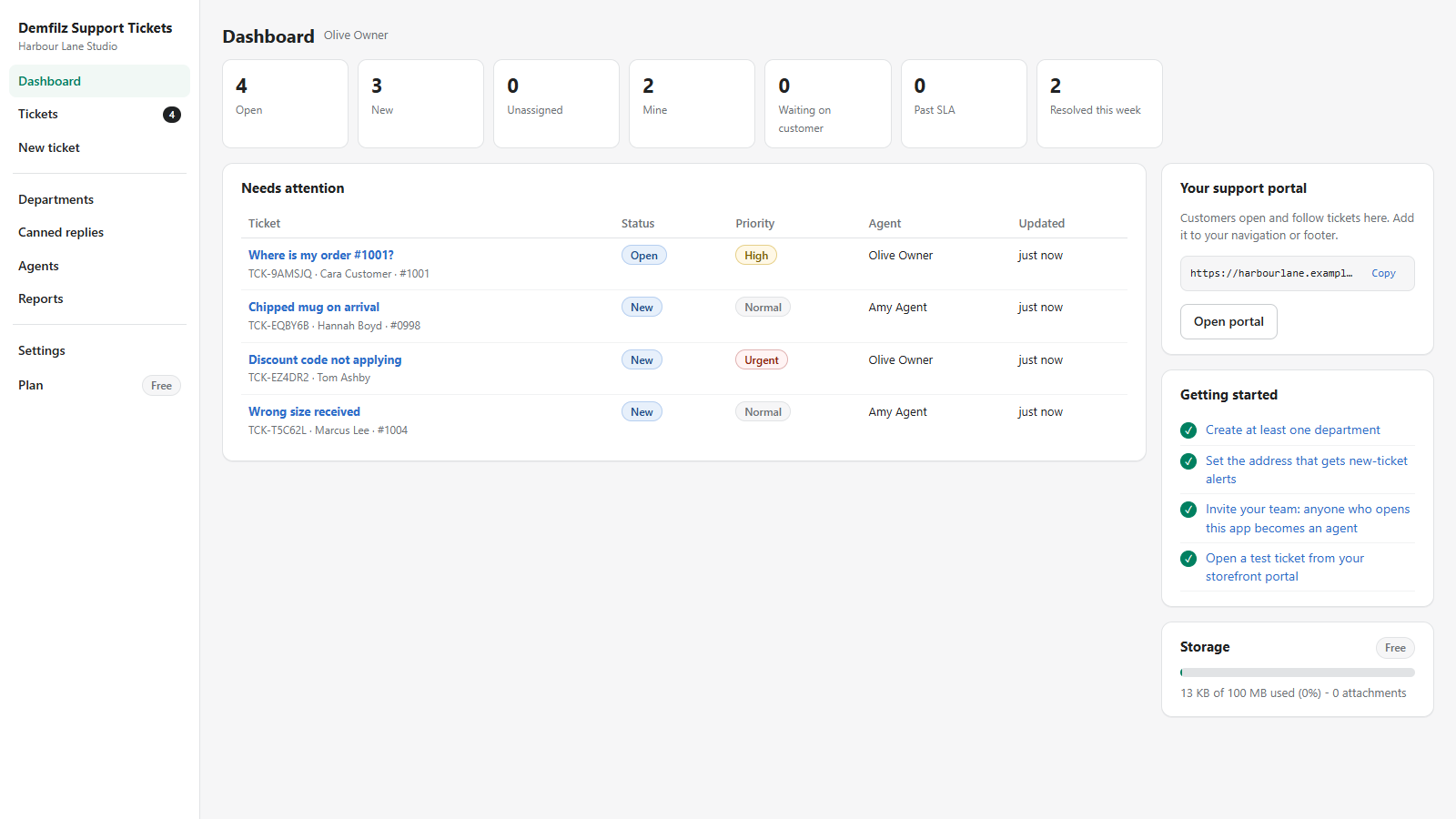
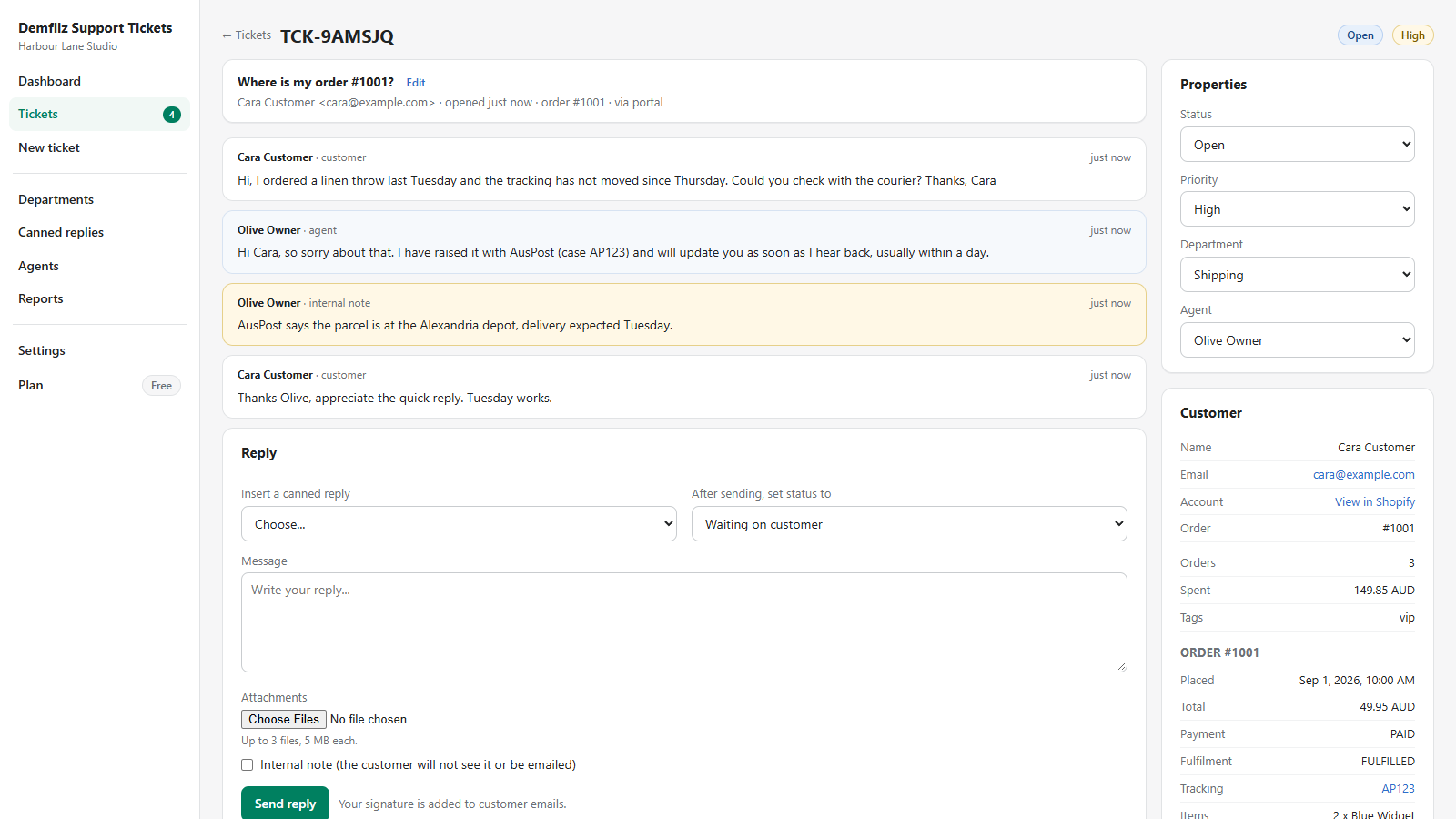
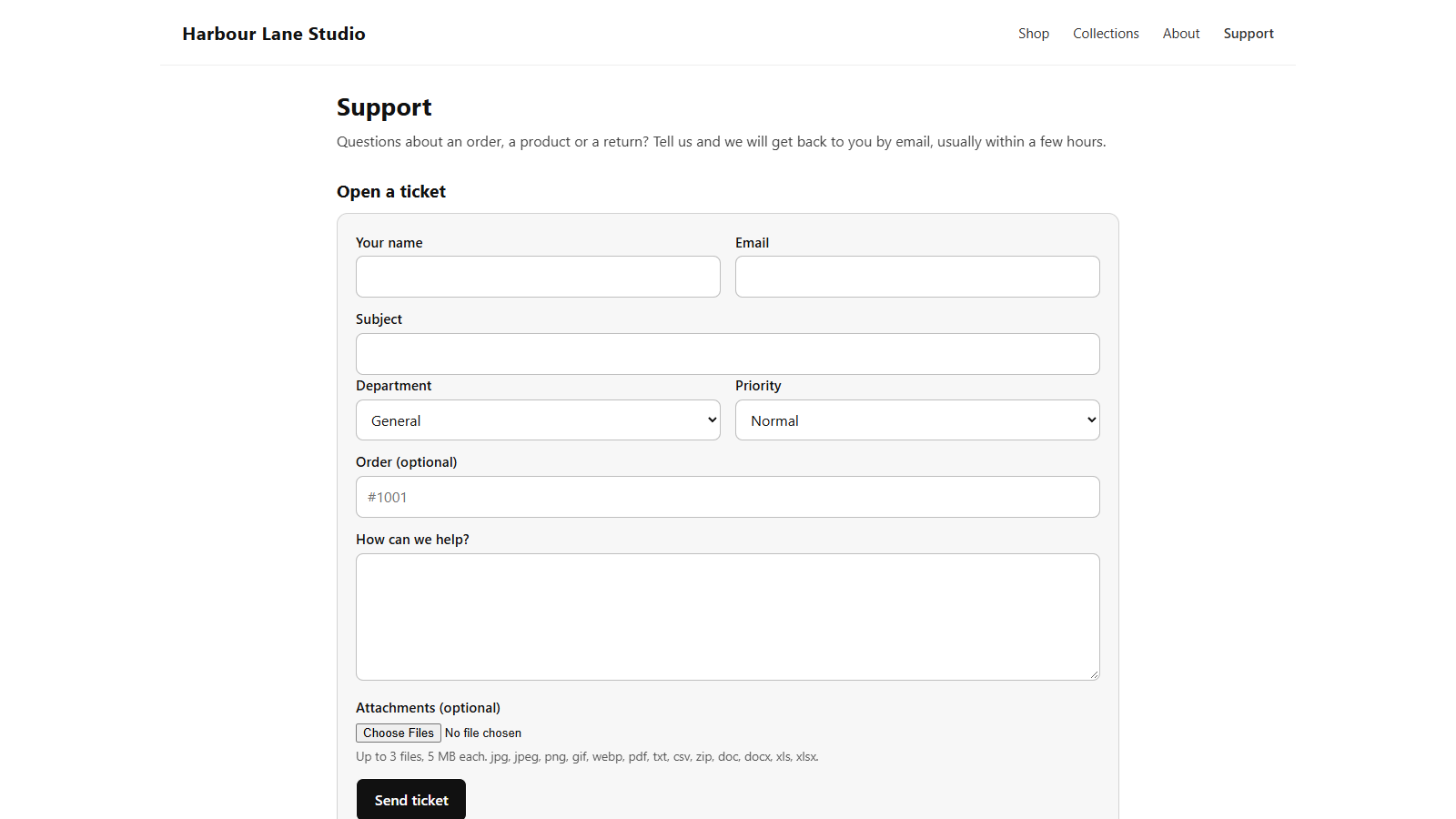
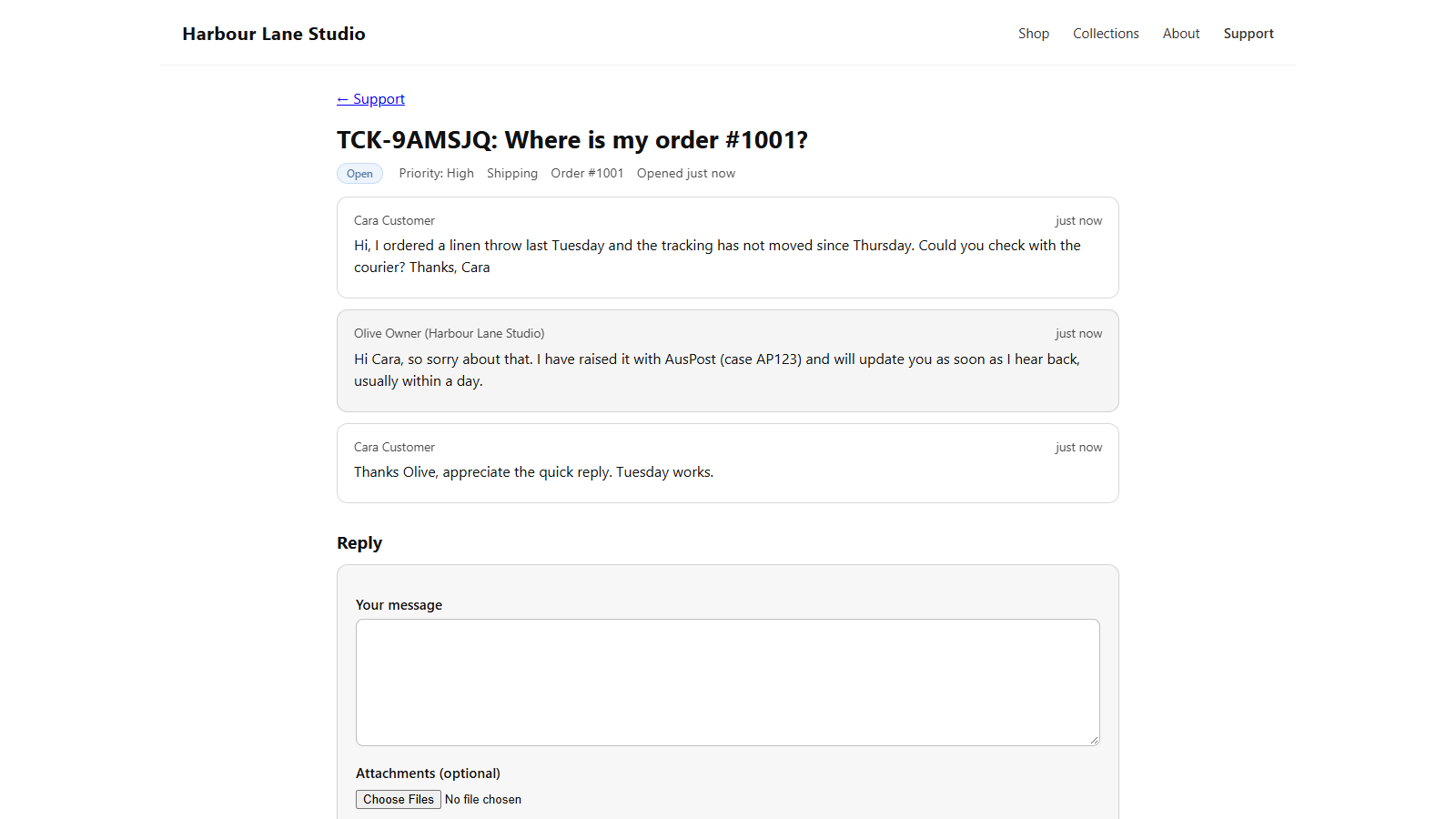
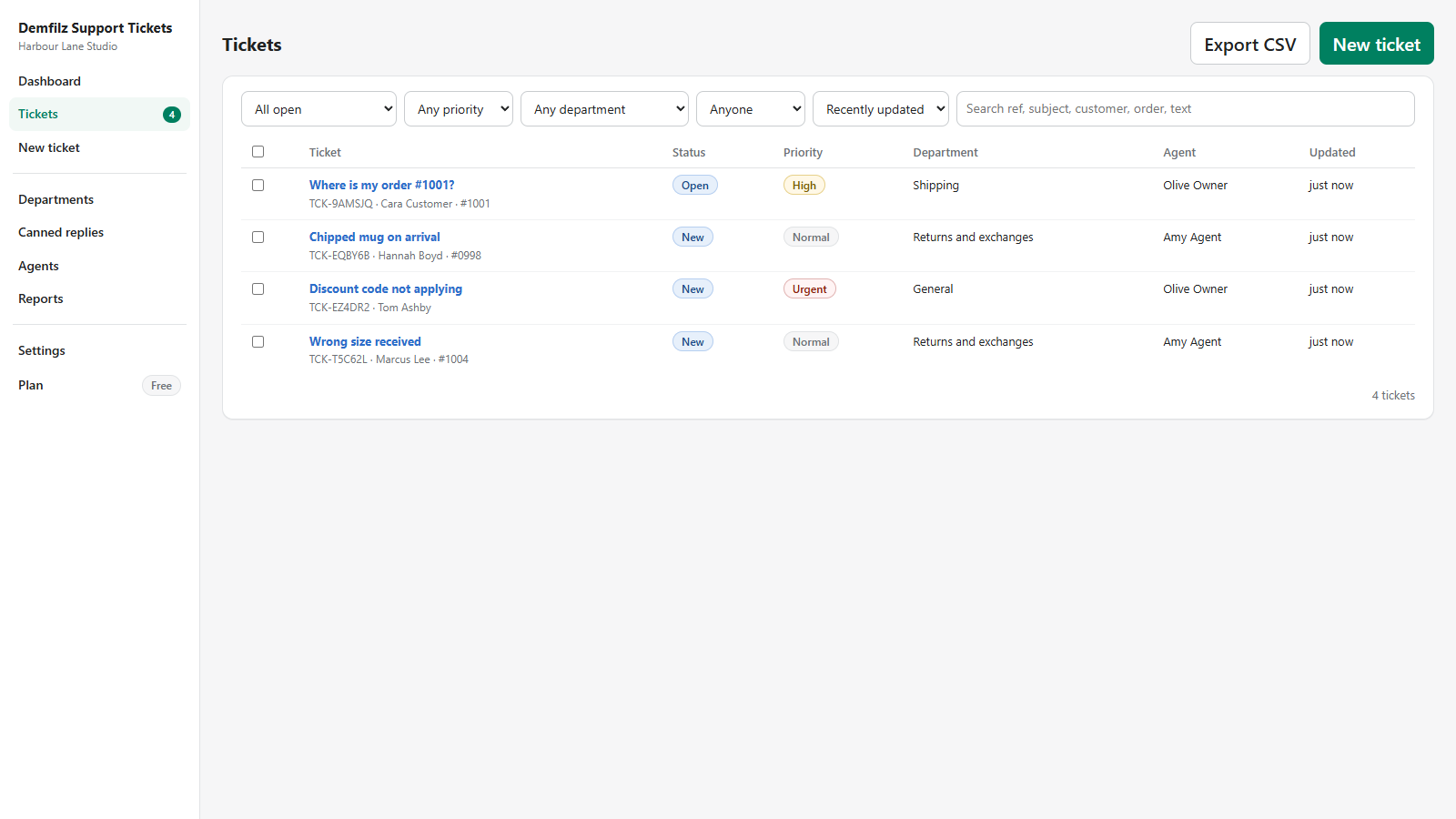
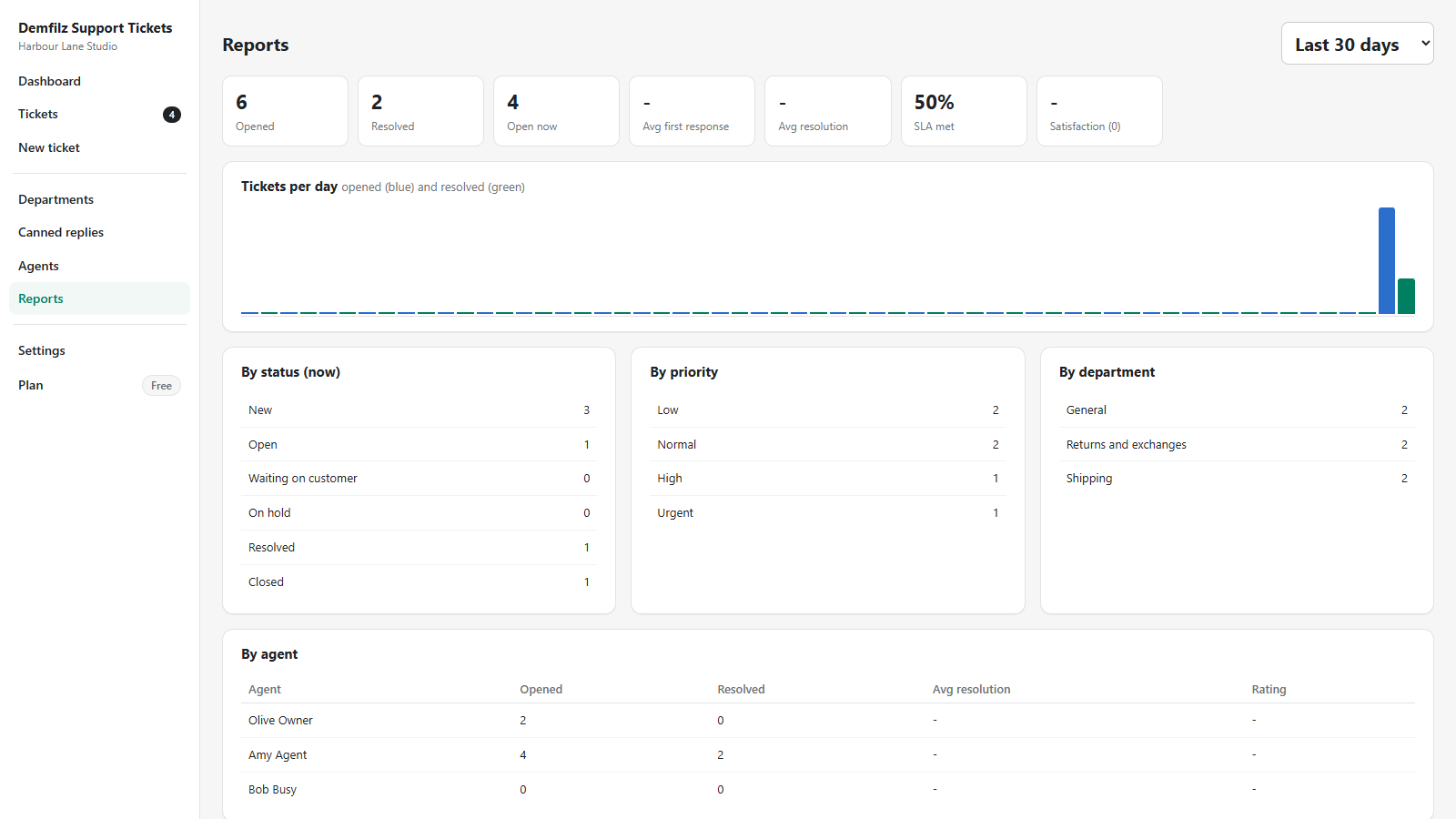
A complete help desk for your Shopify store. Customers open and follow tickets on a support page inside your own storefront, with their order picked from their account. Your team works every ticket from one screen inside the Shopify admin: the whole thread, internal notes, canned replies, attachments, departments, priorities, and the customer's orders beside it.
v1.0.0 · any Shopify plan · every feature free up to 100 MB of storage, then US$19.95/month
Install the app and your storefront gains a page at /apps/support, served through a Shopify app proxy so it wears your theme's header, footer and styles. Customers open a ticket as a guest with just a name and an email, or sign in and have their details filled in - and when they are signed in, the form lists their own orders so the ticket arrives already knowing which one it is about. They get a private link by email, follow the conversation there, reply, reopen a resolved ticket, and rate the service when it is done.
Inside the Shopify admin, every ticket is one screen: the thread, internal notes the customer never sees, canned replies inserted with a click, attachments, and the properties - status, priority, department, agent - on the side. With the order permissions granted, the customer's profile, recent orders, and the order the ticket is about sit right beside the reply box, with payment and fulfilment status and tracking links. The activity log records who changed what.
Agents are your existing Shopify staff. Anyone who opens the app appears under Agents; the account owner is an admin and can promote others, switch people off, give each agent a signature and put them in departments. Departments have their own notification inbox and agent pool, so returns questions reach the returns team and nobody else.
SLA targets per priority - first response and resolution - with an alert to the department or agent when one is missed, round-robin or least-busy assignment of new tickets, reminders to customers who go quiet, automatic closing of resolved tickets, reports on volume, response and resolution times and satisfaction, CSV export, and sending notifications from your own SMTP server so they come from your domain. All of it on every plan.
There are no feature tiers. The only thing measured is storage: your tickets, messages and attachments together. Free covers 100 MB, which is a long way for a desk without heavy attachments. Beyond that, Pro is US$19.95 a month for 10 GB, billed through Shopify with a 30-day trial. When a Free store fills up, new attachments pause until space is freed or you upgrade - tickets and replies are never refused, and the Plan page shows exactly what is used.
Real screens from the app - click any to open it full size.
Embedded with App Bridge and session tokens, Shopify-managed installation, HMAC-verified webhooks, billing through Shopify's own Billing API, and every storefront request checked against the app proxy signature.
A customer redaction deletes their tickets and files, a data request sends you everything held about them, uninstalling removes your store's data. Attachments sit under random names behind short-lived signed links; tokens are encrypted at rest.
Every feature is free. The only meter is storage: 100 MB of tickets, messages and attachments on Free, then US$19.95 a month for 10 GB, billed by Shopify with a 30-day trial. When a Free store is full, attachments pause - tickets never do.
From the Shopify App Store listing. The dashboard opens inside your admin with a General department ready and you as the first admin.
Copy the portal address from the dashboard (your-store.com/apps/support) and add it to your navigation or footer under Online Store, Navigation.
Add departments with their own inbox, then have your team open the app once - they appear under Agents, where you set roles, signatures and departments.
Send one from the portal, answer it from the admin, and read the emails. Then tune the templates, workflow and SLA targets under Settings.
Why a portal, not just an email address. A ticket has a reference, a status, a history and an owner. Customers stop asking "did you get my email?", replies land on the right desk, nothing is lost in an inbox, and you can finally see how fast you answer.
Every feature free up to 100 MB of storage, then US$19.95 a month, billed through Shopify.
Now live on the Shopify App Store. Install it on your store in a couple of clicks, free up to 100 MB of storage.
View on the Shopify App StorePrefer the same desk on WordPress? Demfilz Support Tickets for WordPress is free on WordPress.org.
On your own storefront at /apps/support, a page the app serves through a Shopify app proxy so it renders inside your theme with your header and footer. Link it from your navigation or footer. Guests can open tickets with a name and email, signed-in customers get their details filled in and can pick the order the ticket is about from their own order history. There is also an optional theme app block that puts the form on any page.
No. Agents are your existing Shopify staff. Anyone who opens the app appears under Agents; the account owner is an admin and can promote others, switch people off, give them a signature and put them in departments. There is no limit on agents.
Yes, in two ways. Customers pick their order on the portal from their own order history, so the ticket carries the order number without any special permission. In the admin, if you grant the app the read_orders and read_customers permissions, the ticket screen also shows the customer's profile, recent orders, the order the ticket is about, its payment and fulfilment status and tracking links.
Nothing in features: every feature is included on both plans - the portal, unlimited tickets, agents and departments, internal notes, canned replies, attachments, editable email templates, ratings, SLA targets, assignment, reminders, auto-close, reports, CSV export and your own SMTP server. The only meter is storage. Free covers 100 MB of tickets, messages and attachments; Pro is US$19.95 a month for 10 GB, billed through Shopify with a 30-day trial. When a Free store is full, new attachments pause until space is freed or you upgrade; tickets and replies are never refused.
From the app's sending address with your store's address as the reply-to, so a customer who simply hits Reply reaches you. Every message (ticket received, agent replied, resolved, reminder, new ticket for staff, customer replied, assigned, SLA breach) is a template you can edit with placeholders. You can also send through your own SMTP server so emails come from your domain.
Tickets and messages are stored by the app so your team can work them - nothing else is done with them. Shopify's privacy webhooks are honoured in full: a customer redaction deletes that customer's tickets and attachments, a data request sends you everything held about them as a JSON file, and uninstalling removes your store's data. Attachments are kept under random file names and only served through short-lived signed links. Full details in the privacy policy.
Demfilz Support Tickets is live on the Shopify App Store. View the listing and install it on your store in a couple of clicks; every feature is free up to 100 MB of storage.
Inbound email piping, a knowledge base, live chat hand-off, integration with your fulfilment or CRM - this is the kind of thing we build. Tell us what your store needs and we will come back with a plan and a fixed quote.